BigCommerce Integration
Connect your BigCommerce store to Nventory by installing the Nventory app — no API keys to copy.
Connecting Your BigCommerce Store
Nventory connects to BigCommerce by installing the Nventory app — you authorize it once and Nventory handles tokens for you. There are no API credentials to generate or paste.
There are two install paths depending on how the Nventory app reaches your store:
- Published app — the Nventory app is live in the BigCommerce App Marketplace. Clicking + Add takes you straight to the install screen.
- Draft app — the app is shared privately with your store (common during onboarding or for early-access stores). The marketplace install link shows "Not Found", and you install from My Draft Apps instead. This is expected — see Draft app install below.
Prerequisites
- A BigCommerce store with an active plan
- A store owner / admin account (only the store owner can install apps)
Setup Steps
Navigate to Integrations
From your dashboard sidebar, click on Integrations to see all available platforms.
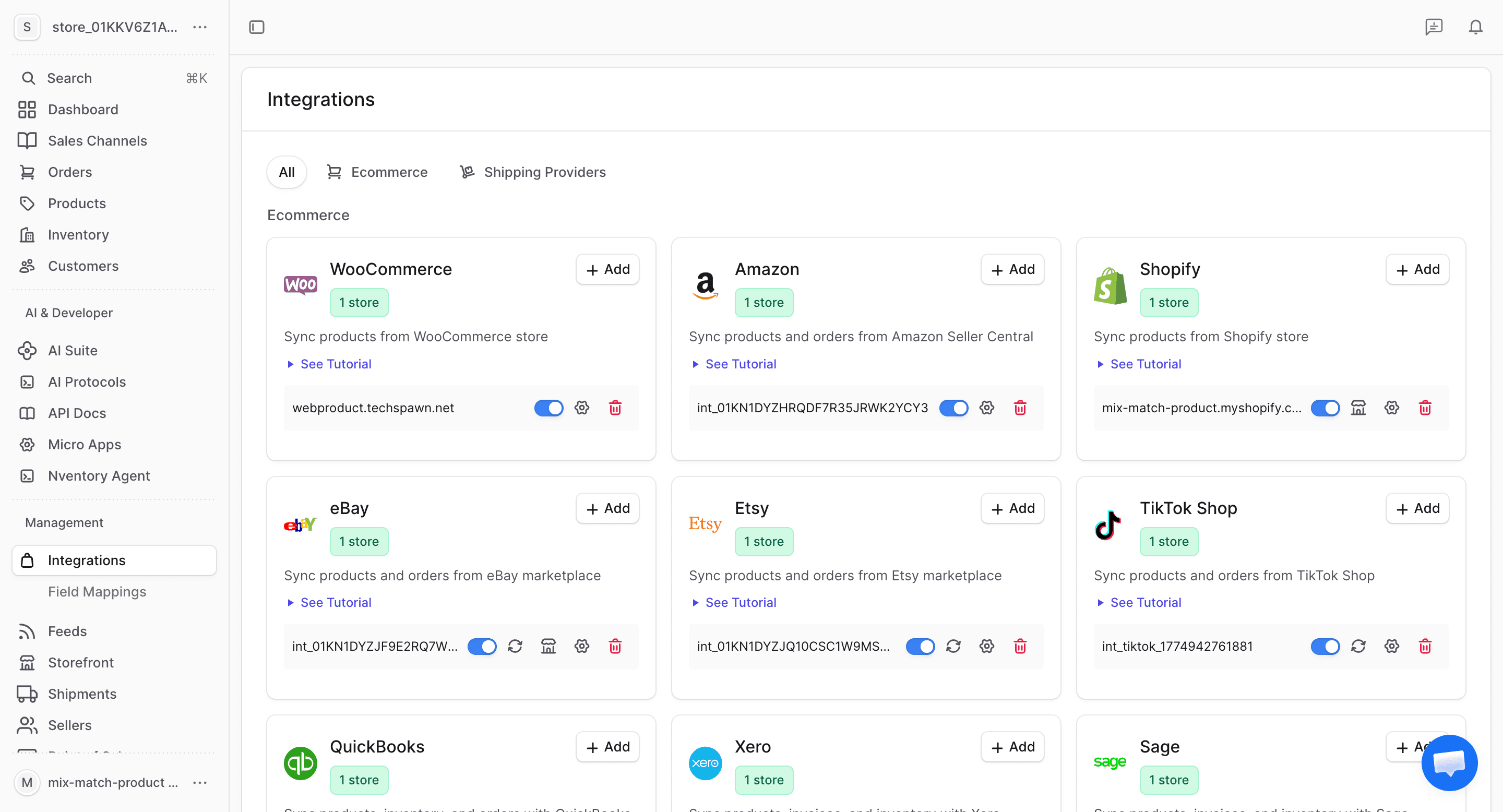
Click Add on BigCommerce
Find the BigCommerce card in the available integrations and click + Add.
Nventory opens the BigCommerce install page in a new browser tab and shows a toast on the Integrations page. Leave the Integrations tab open — it polls in the background and updates automatically once the connection completes (it checks for up to 5 minutes).
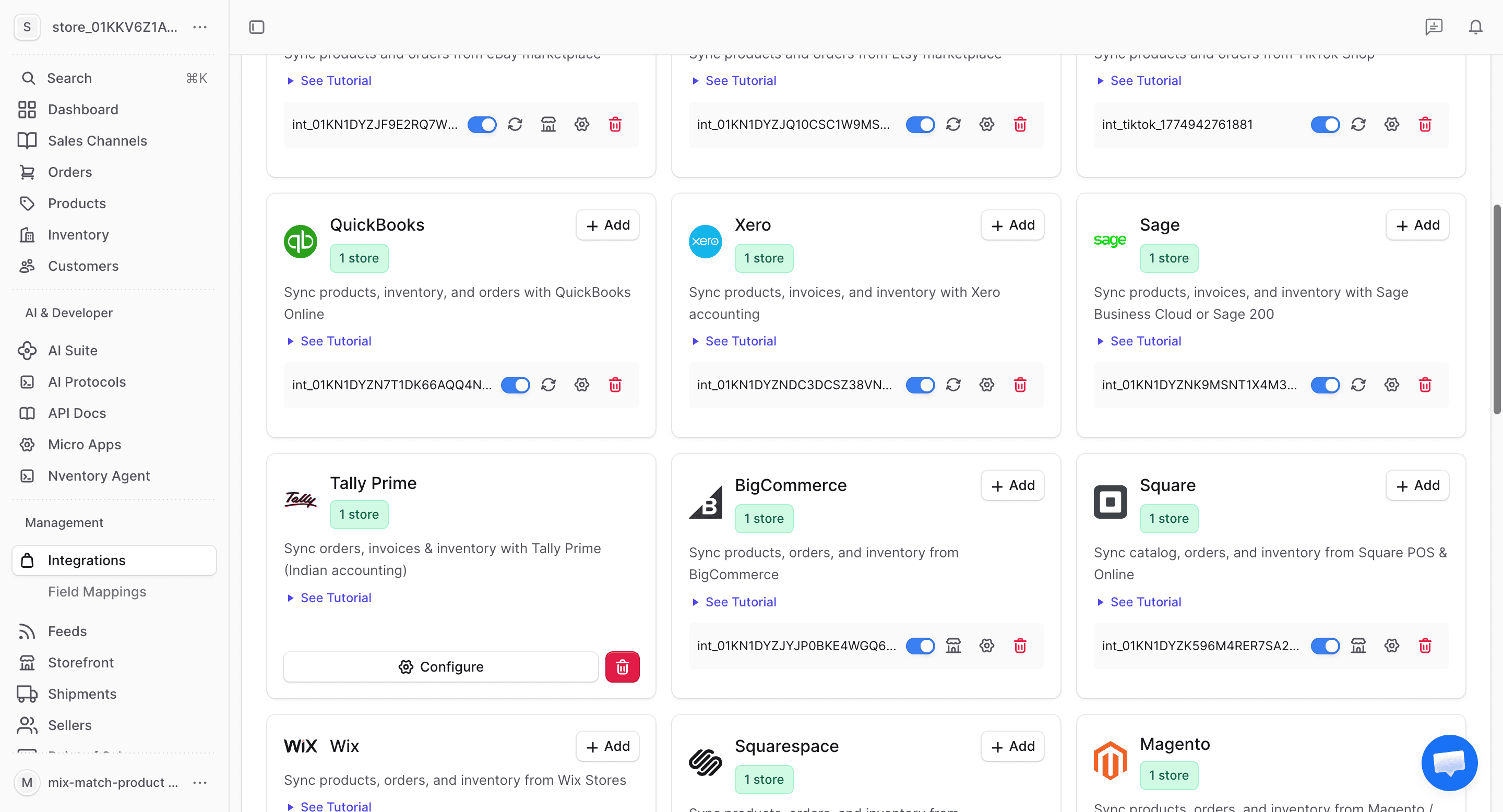
Install the Nventory App
In the new tab:
- Published app — you land on the Nventory install screen. Continue to the next step.
- Draft app — if the page shows "Not Found", that is expected. Follow Draft app install to launch it from My Draft Apps, then continue.
Approve Permissions
BigCommerce shows the scopes Nventory needs:
- Products: Modify
- Orders: Modify
- Customers: Modify
- Information & Settings: Read-only
Click Confirm / Install to authorize. BigCommerce redirects back to Nventory, which exchanges the authorization for an access token and registers webhooks automatically — you never see or enter a token.
Return to Nventory
Once authorization completes, a "BigCommerce Connected" screen appears in the install tab with an Open Nventory Dashboard button, and the Integrations tab you left open updates to show the connected store. You can close the install tab.
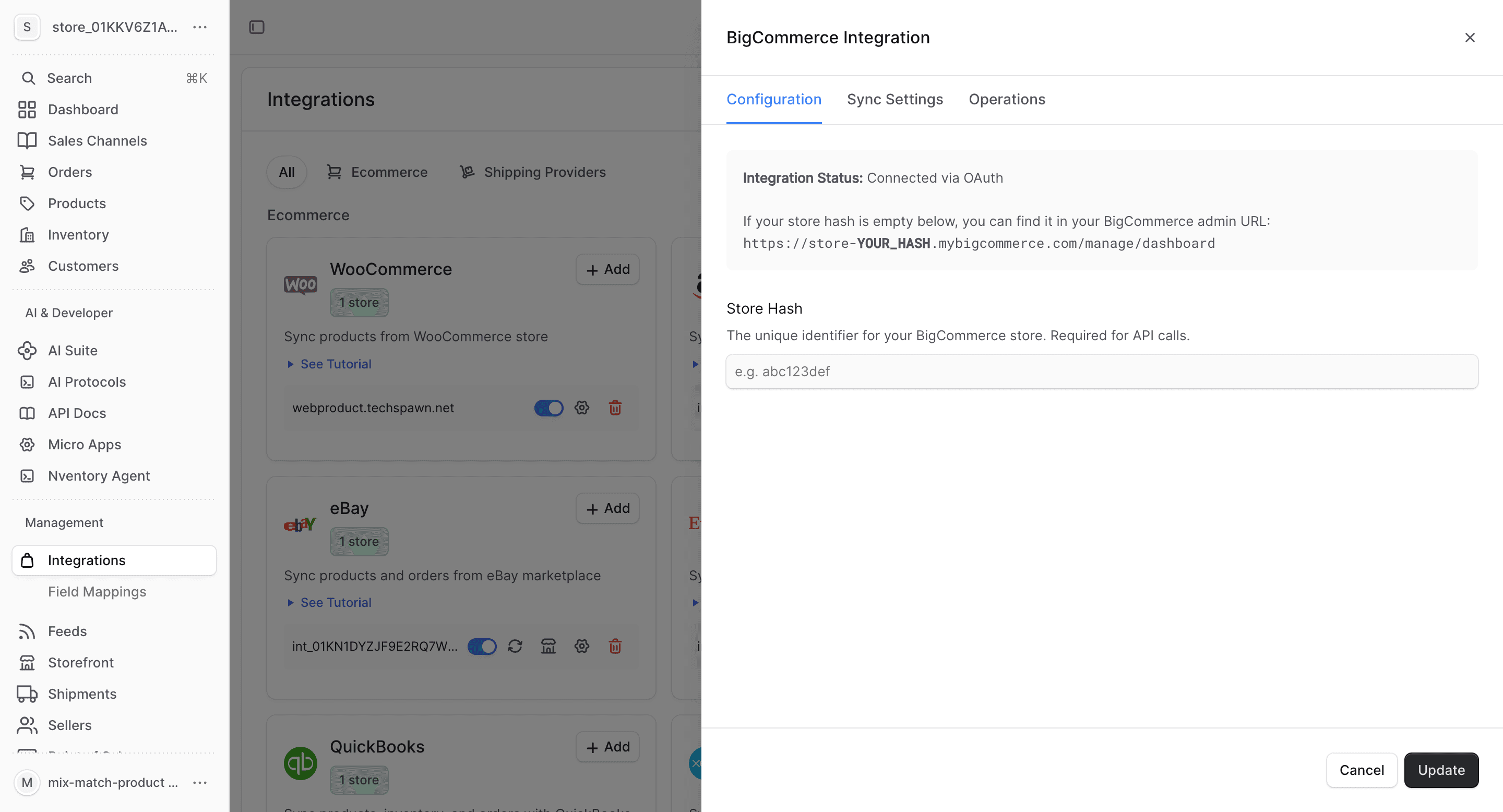
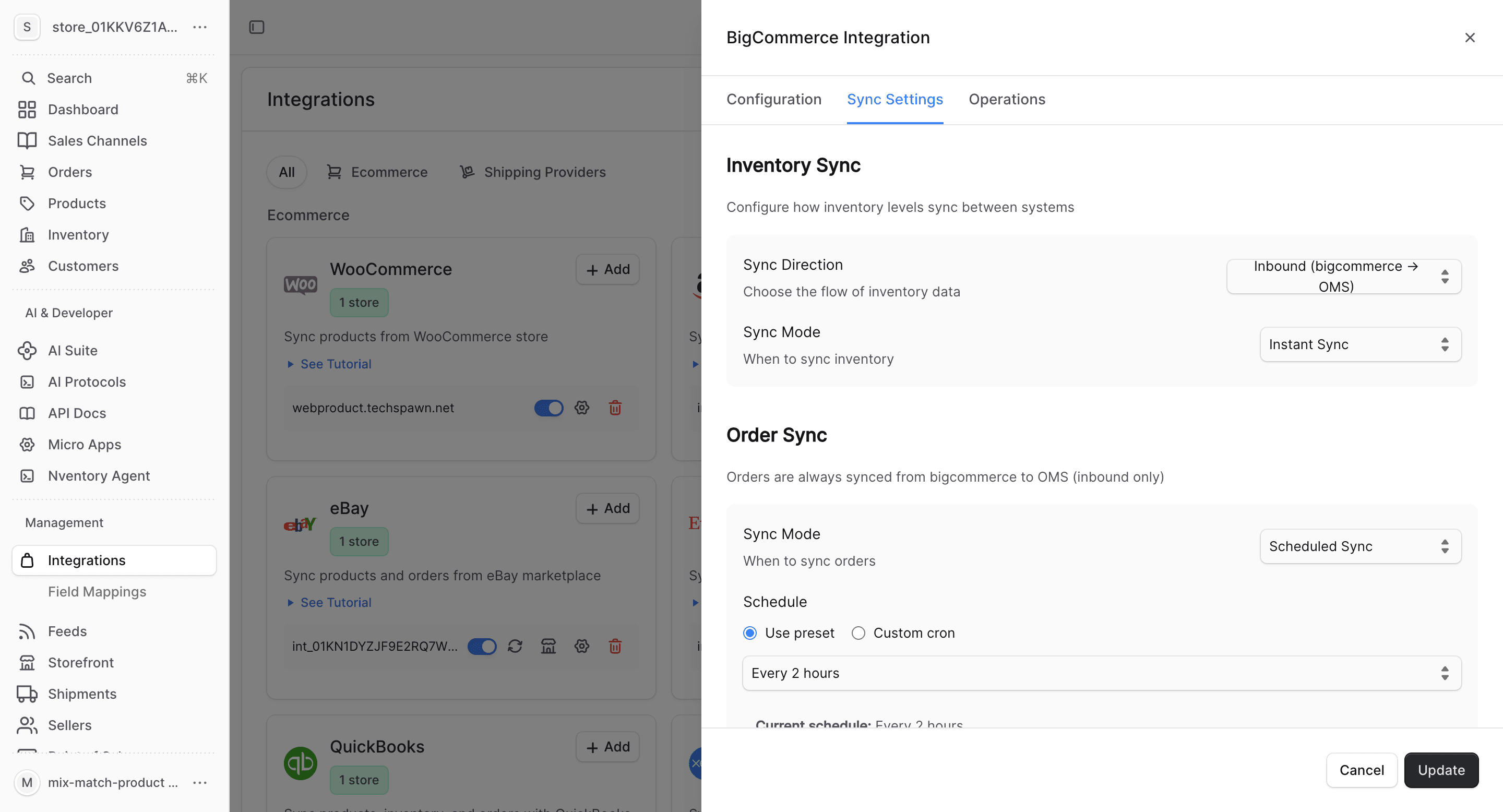
Map Locations
Map your BigCommerce fulfillment locations to Nventory stock locations for accurate multi-location inventory tracking.
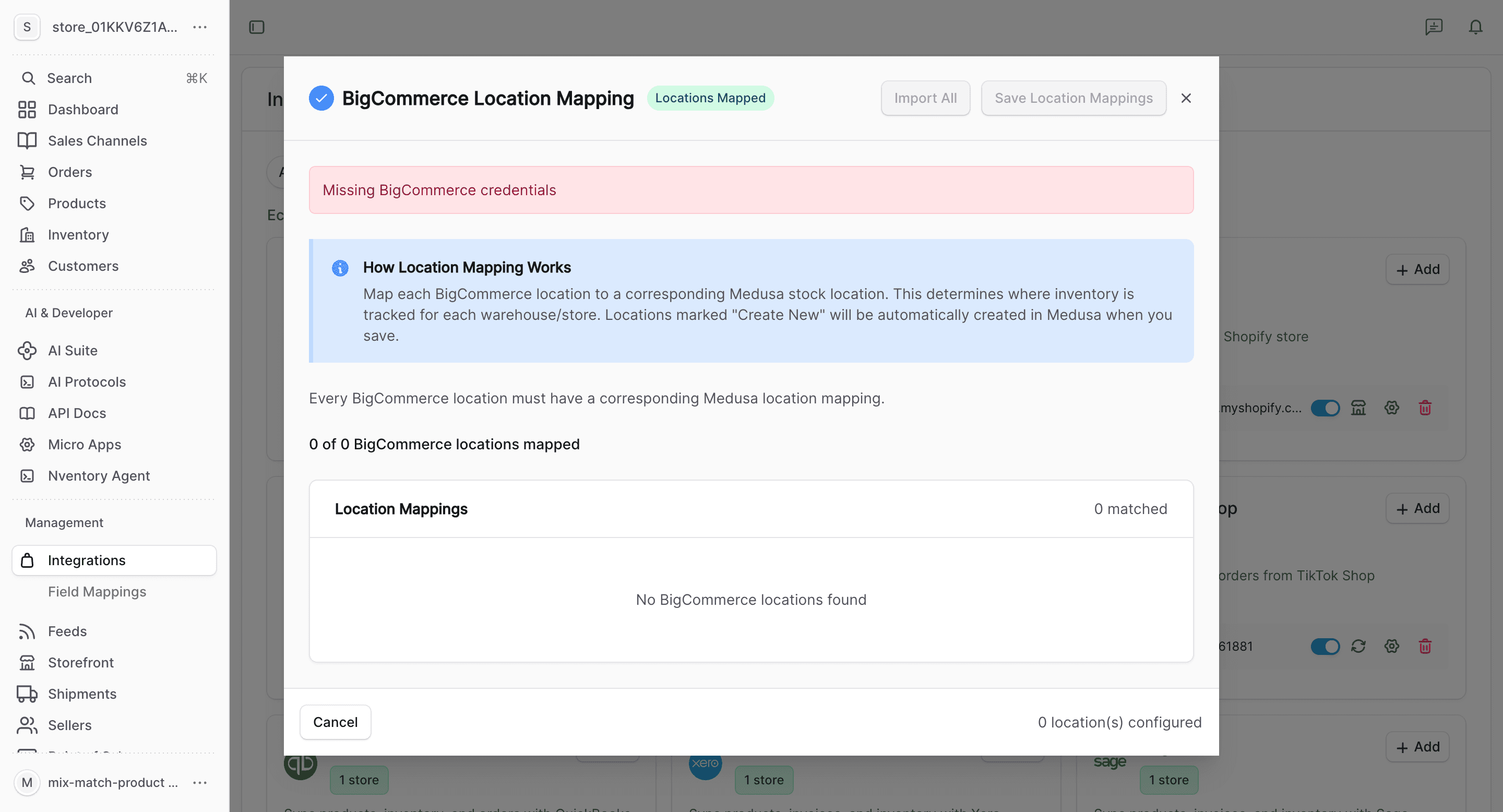
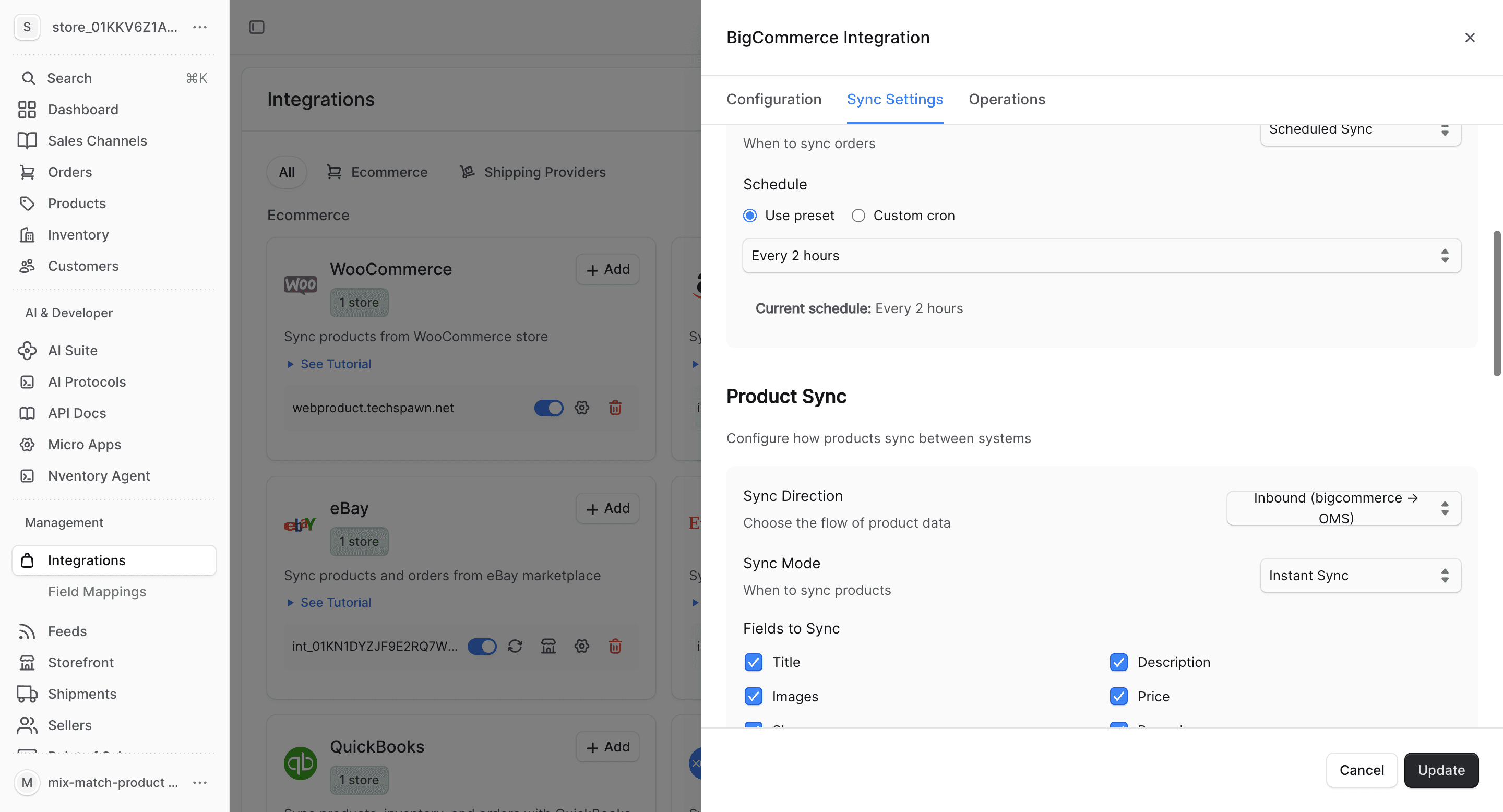
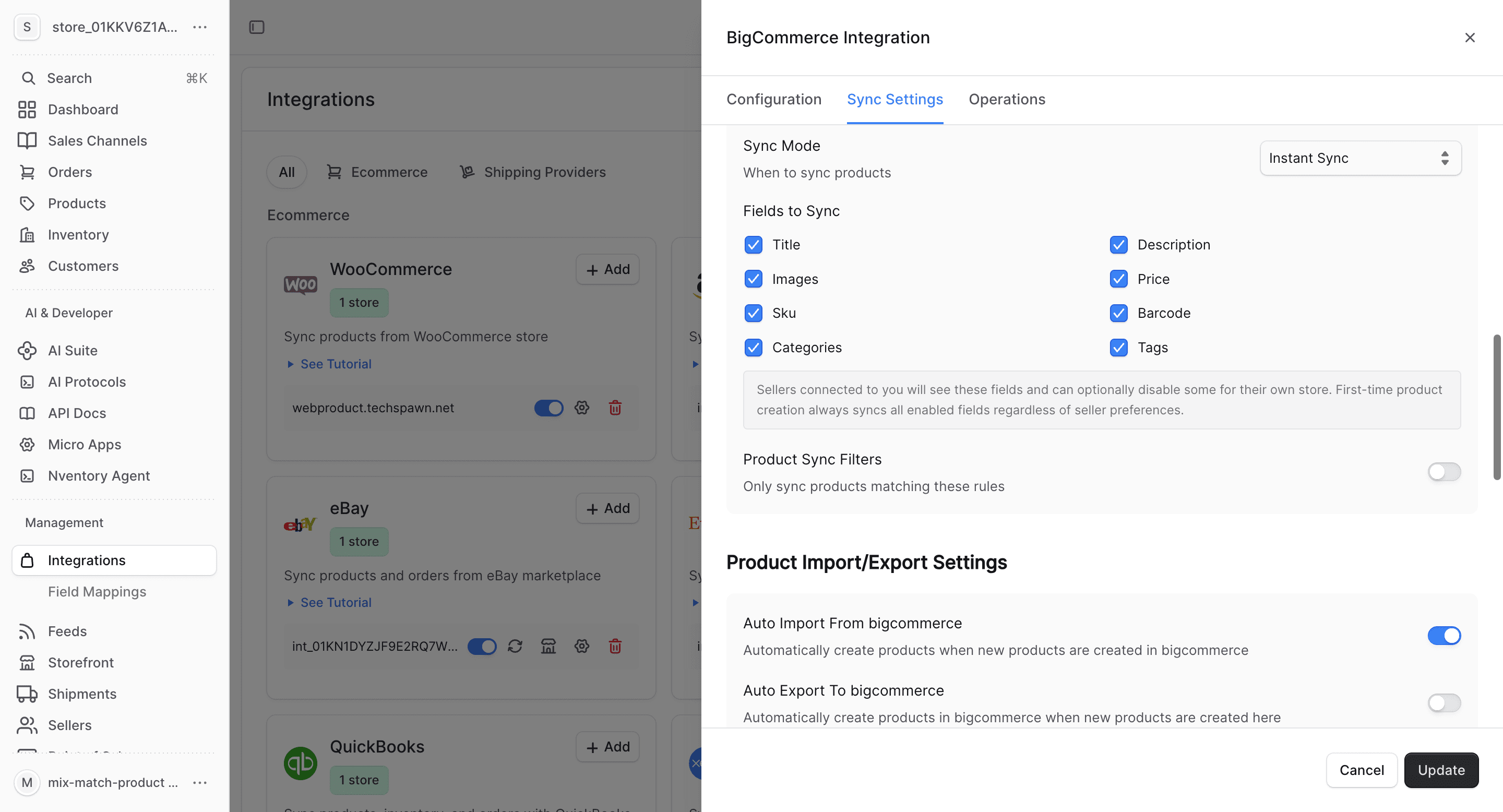
Configure Product Fields
Choose which product fields to sync and set up auto-import/export preferences.
Installing a Draft App
If the Nventory app has been shared with your store as a draft app, the standard marketplace install link returns "Not Found". This does not mean anything is broken — draft apps aren't installable from the public link. Install it from your store's draft apps instead:
Open My Draft Apps
In your BigCommerce admin, go to Apps → My Draft Apps.
Install Nventory
Find Nventory in the list and click Install, then Confirm the requested permissions.
Wait for Nventory to Update
BigCommerce redirects back to Nventory and completes the connection. Switch back to the Nventory Integrations tab — it updates automatically once connected (no need to click Add again).
During install, BigCommerce may email a security code / verification code to the store owner to confirm the app. This is a normal BigCommerce security email — enter the code in BigCommerce if prompted. It is not a support request, so there's no need to forward it to Nventory support.
Troubleshooting
| Symptom | What to do |
|---|---|
| Install page shows "Not Found" | The app is a draft app. Install it from Apps → My Draft Apps — see Installing a draft app. This is expected, not an error. |
| Integrations page never updates to "Connected" | Make sure you completed Confirm / Install in the BigCommerce tab. The page polls for up to 5 minutes; if it times out, click + Add again to restart. |
| "BigCommerce authorization failed" screen | The authorization expired or was cancelled. Return to Integrations and click + Add to start over. |
| Asked for a security / verification code | That's a BigCommerce email to the store owner — enter it in BigCommerce. It is not handled by Nventory. |
| "Only the store owner can install" | Apps can only be installed by the BigCommerce store owner account. Sign in as the owner and retry. |
If the connection still fails after retrying, contact support with the store hash and a screenshot of the error screen.
Location Mapping
BigCommerce supports multiple inventory locations. Map each BigCommerce location to a Nventory stock location.
See Location Mapping for more details.
What Gets Synced
| Entity | Import | Export | Real-time |
|---|---|---|---|
| Products | Yes | Yes | Webhook-driven |
| Inventory | Yes | Yes | Webhook-driven |
| Orders | Yes | No | Webhook-driven |
| Customers | Yes | No | Webhook-driven |
Bulk Operations
Use the Operations tab for one-time bulk imports and manual syncing.
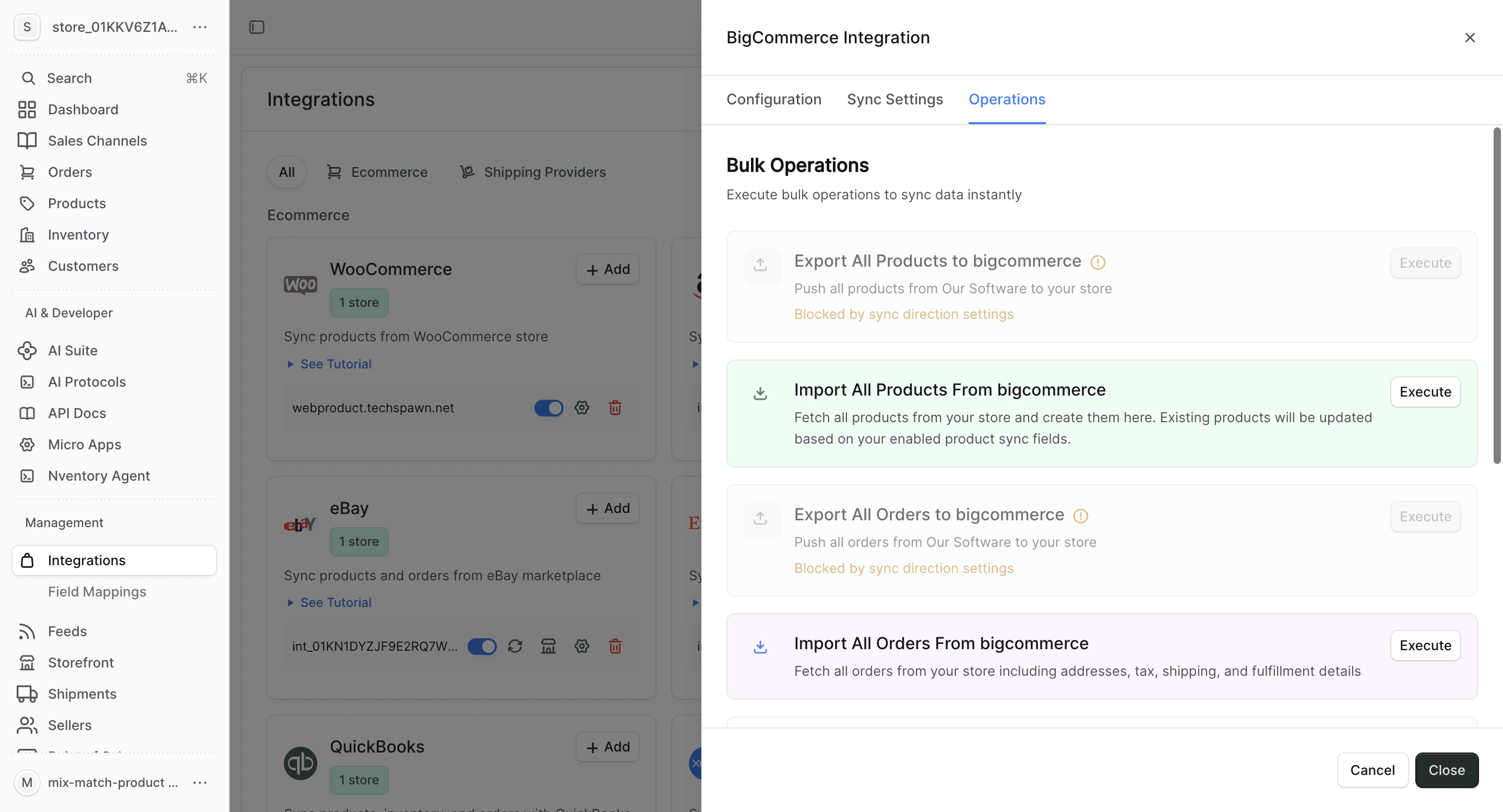
- Import All Orders — fetch all orders from BigCommerce
- Sync Inventory — update all stock quantities
- Import All Customers — fetch customer data
BigCommerce-Specific Notes
- BigCommerce supports complex product variants with option sets
- Category sync maps BigCommerce categories to Nventory product categories
- Webhooks are automatically registered for real-time sync
- Multi-storefront setups are supported — each storefront can be a separate integration