Magento Integration
Connect your Magento store to Nventory using REST API credentials.
Connecting Your Magento Store
Nventory connects to Magento using REST API credentials. You'll need admin access to generate an integration token.
Prerequisites
- Magento 2.x (Open Source or Commerce edition)
- Admin access to your Magento backend
- REST API enabled on your server
Setup Steps
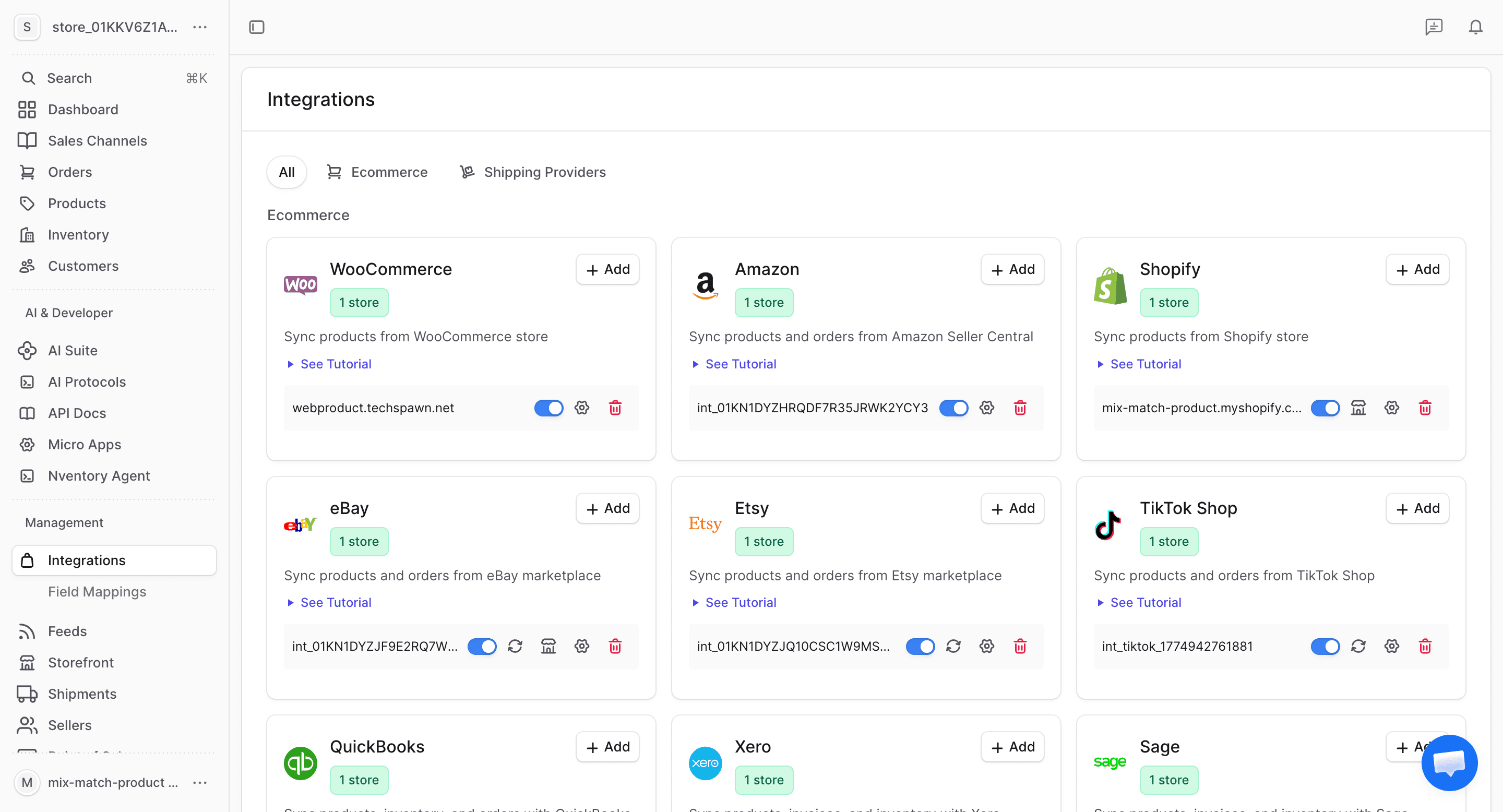
Navigate to Integrations
From your dashboard sidebar, click on Integrations to see all available platforms.
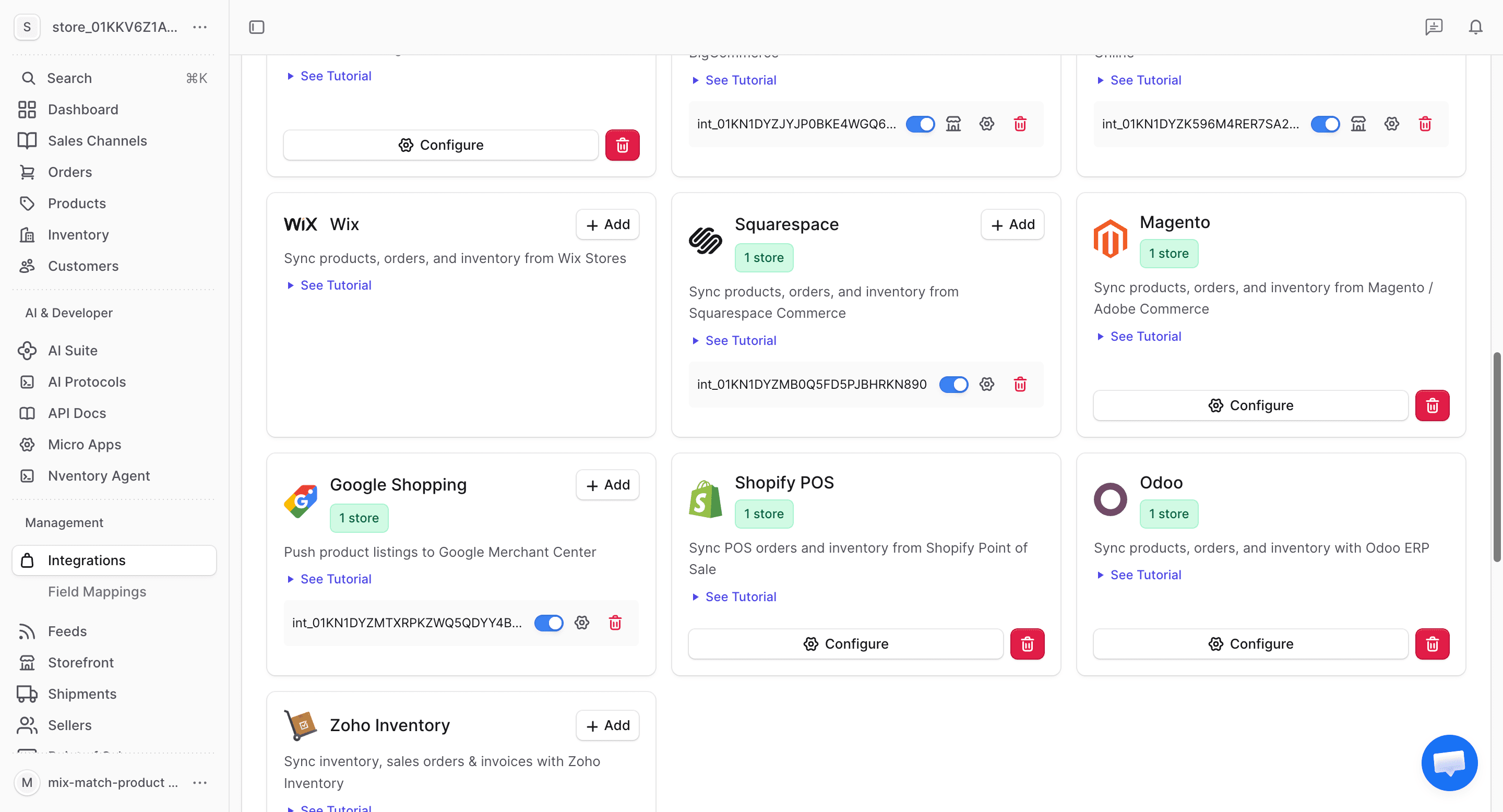
Click Add on Magento
Find the Magento card in the available integrations and click + Add to begin the setup.
Generate an Access Token in Magento
In your Magento admin panel:
- Go to System → Integrations
- Click Add New Integration
- Set a name (e.g., "Nventory")
- Under API, grant access to:
- Catalog (Products, Categories, Inventory)
- Sales (Orders, Invoices, Shipments)
- Customers
- Save and Activate the integration
- Copy the Access Token
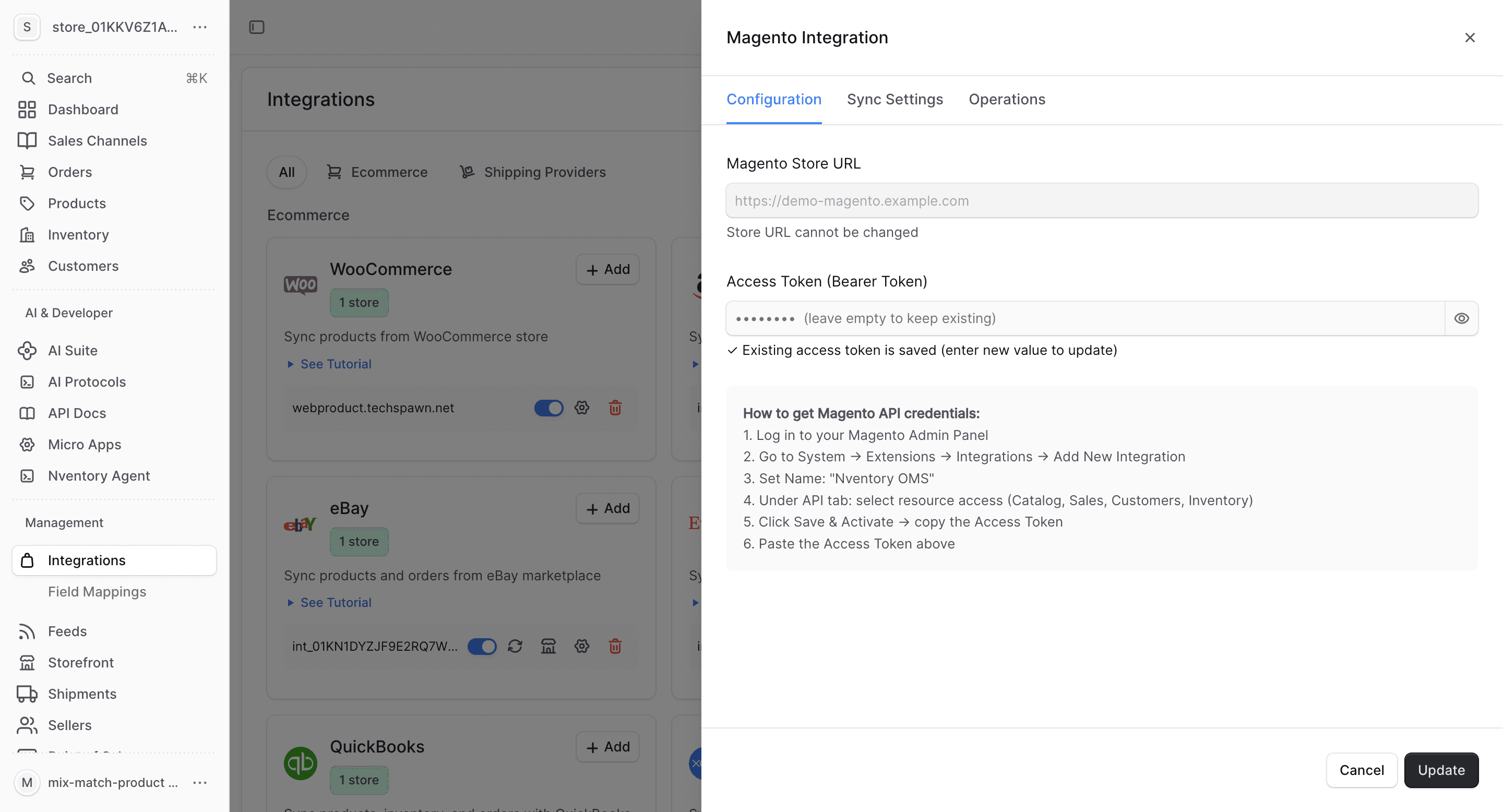
Enter Your Credentials
In the Nventory connection dialog, enter:
| Field | Description |
|---|---|
| Store URL | Your Magento store's base URL (e.g., https://mystore.com) |
| Access Token | The integration access token you generated |
Click Save to connect.
Configure Product Fields
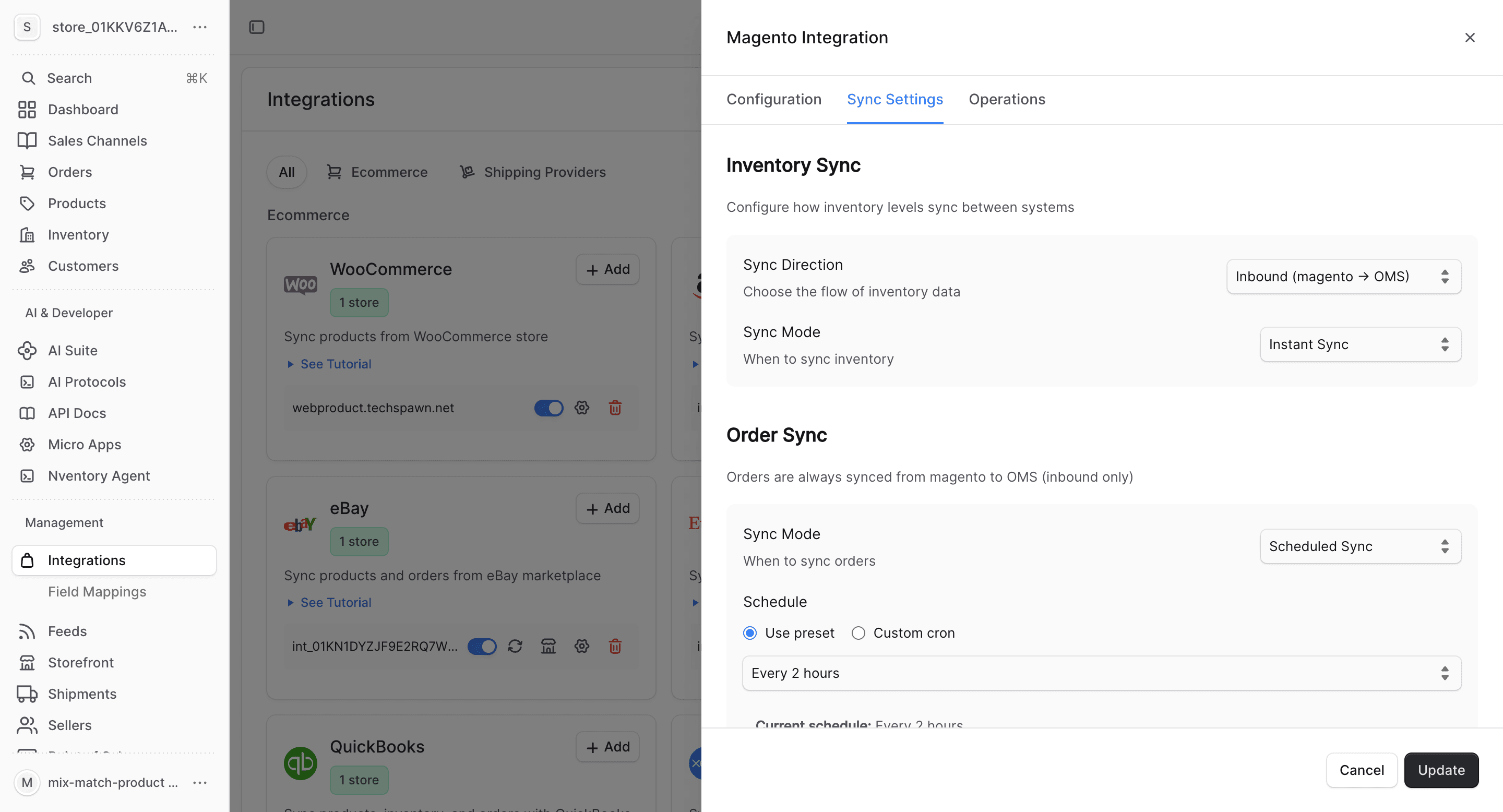
Choose which product fields to sync and set up auto-import/export preferences.
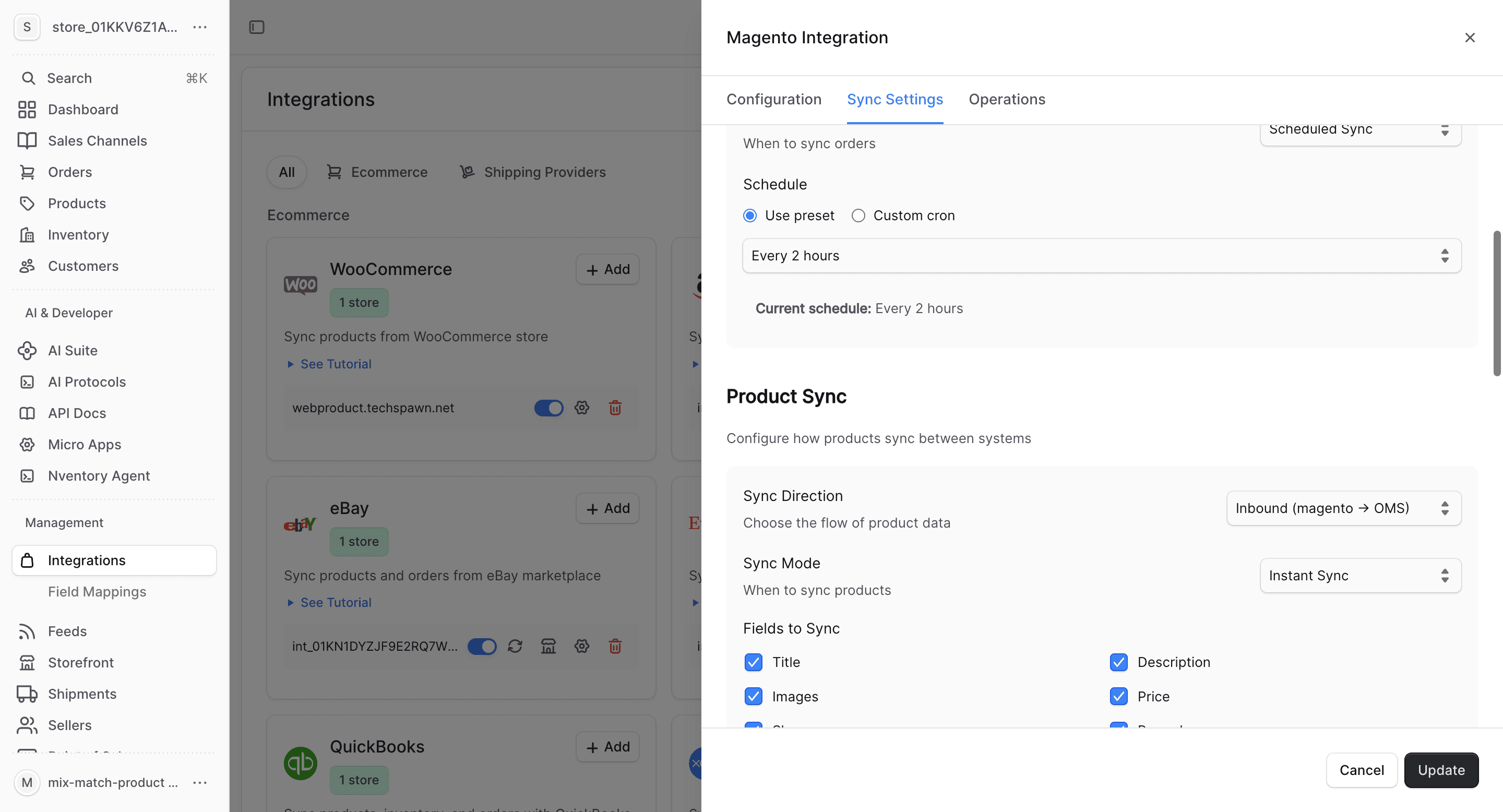
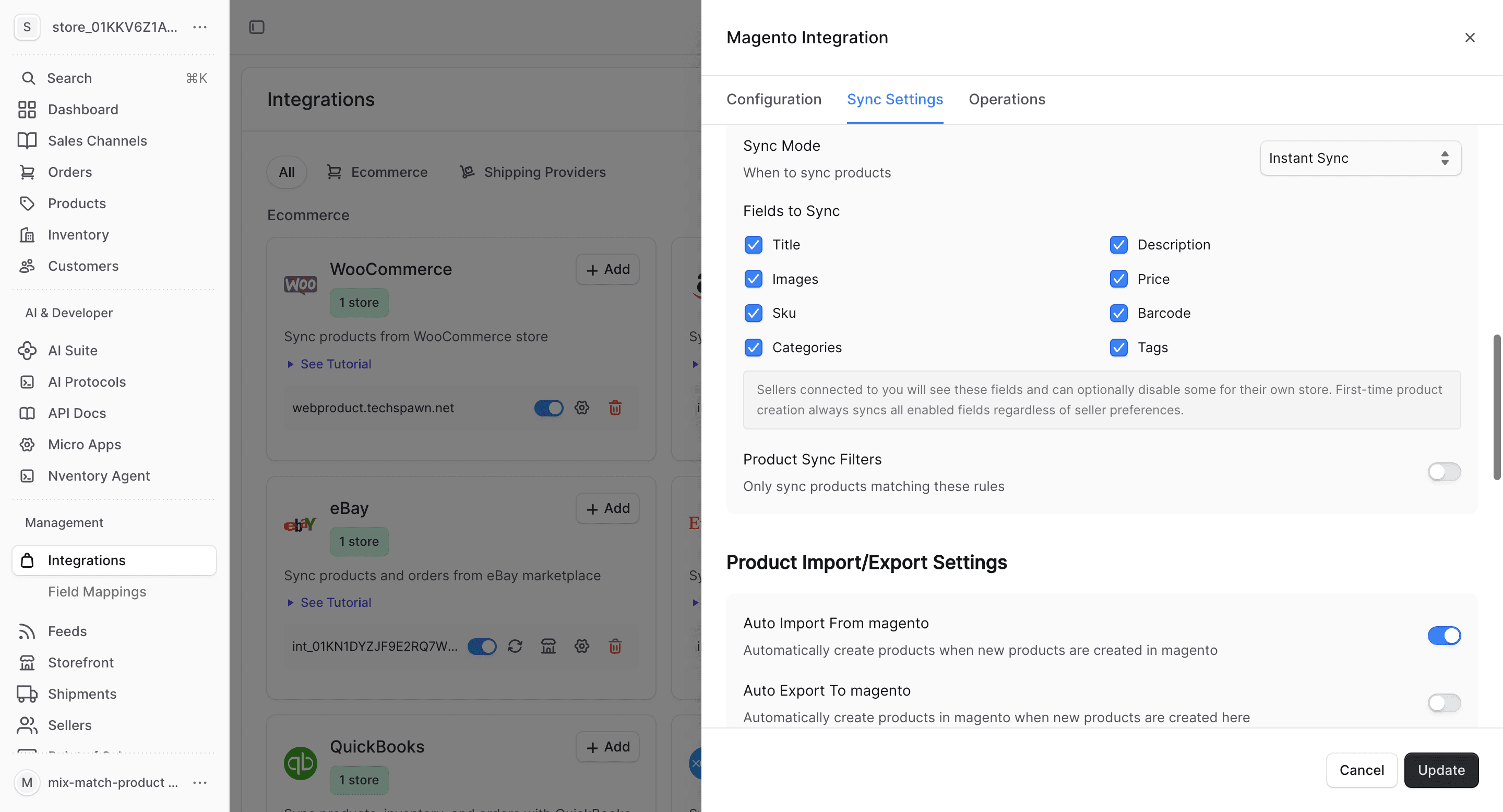
What Gets Synced
| Entity | Import | Export | Real-time |
|---|---|---|---|
| Products | Yes | Yes | Via polling |
| Inventory | Yes | Yes | Via polling |
| Orders | Yes | No | Via polling |
| Customers | Yes | No | Via polling |
Magento does not natively support webhooks for all entity types. Nventory uses scheduled polling to keep data in sync. You can configure the polling interval in Sync Settings.
Bulk Operations
Use the Operations tab for one-time bulk imports and manual syncing.
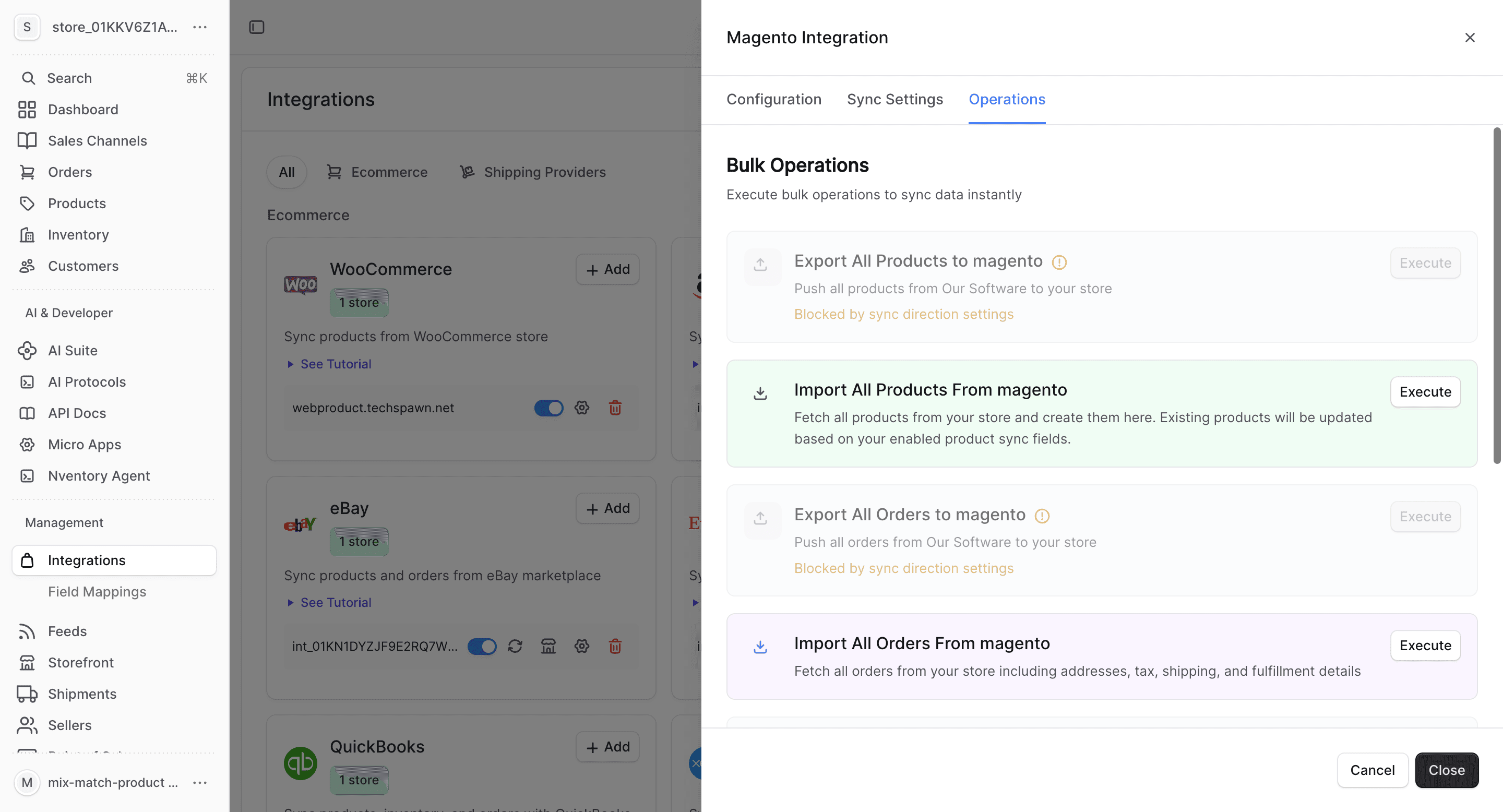
- Import All Orders — fetch all orders from Magento
- Sync Inventory — update all stock quantities
- Import All Customers — fetch customer data
Magento-Specific Notes
- Magento supports complex product types: simple, configurable, grouped, and bundled
- Configurable products map to Nventory products with variants
- Multi-store Magento setups can be connected with separate integrations per store view
- Ensure your server's REST API rate limits accommodate sync frequency
- Magento's attribute sets and custom attributes are preserved during sync