Integrations
FedEx Integration
Connect FedEx to Nventory for shipping rates and label generation.
Connecting FedEx
Nventory integrates with FedEx to provide real-time shipping rates and label generation for your orders.
Prerequisites
- A FedEx Developer account
- FedEx API credentials (Client ID and Client Secret)
- A FedEx shipping account number
Setup Steps
Navigate to Integrations
From your dashboard sidebar, click on Integrations and scroll to the Shipping section.
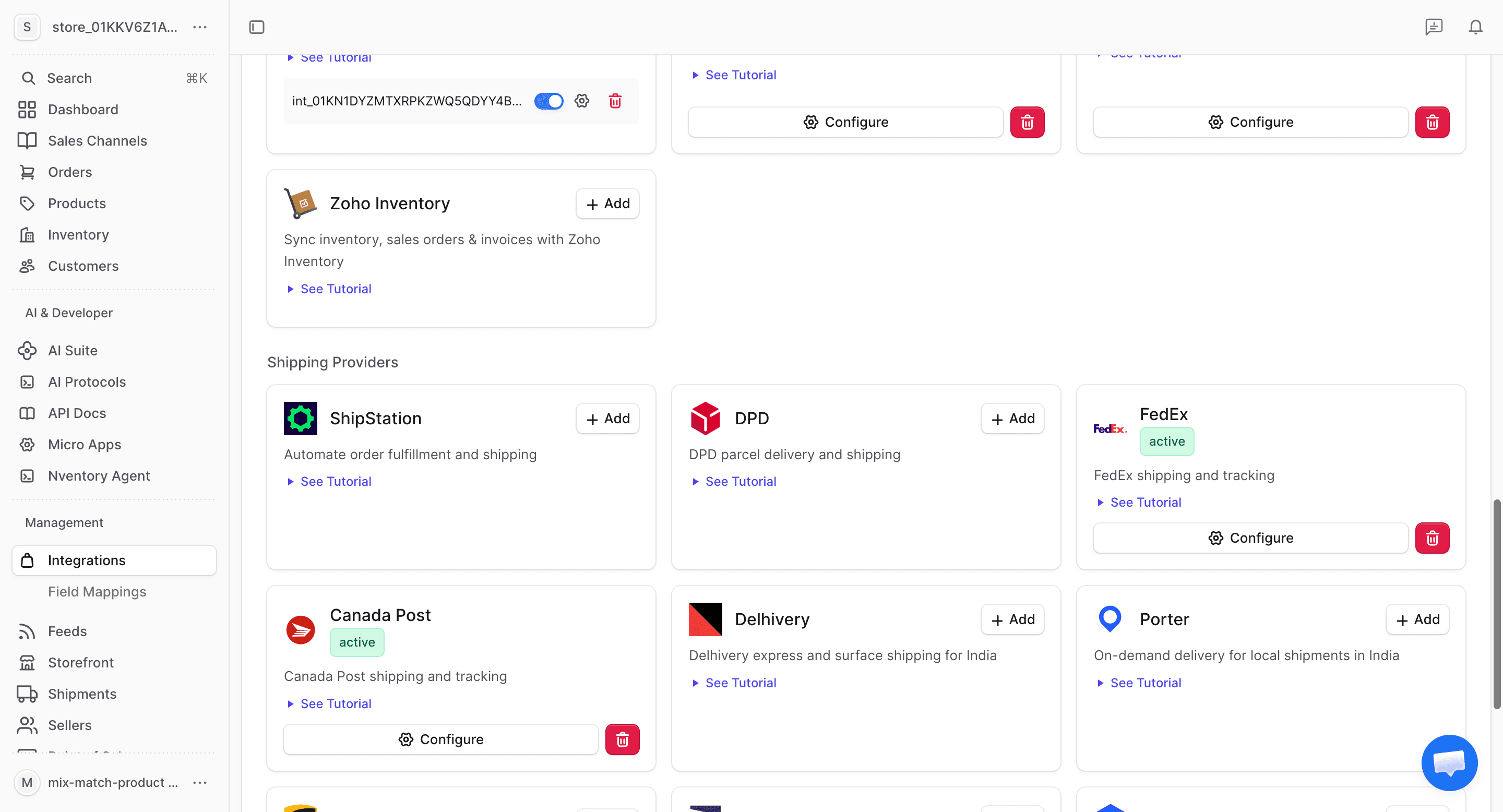
Click Add on FedEx
Find the FedEx card and click + Add to begin the setup.
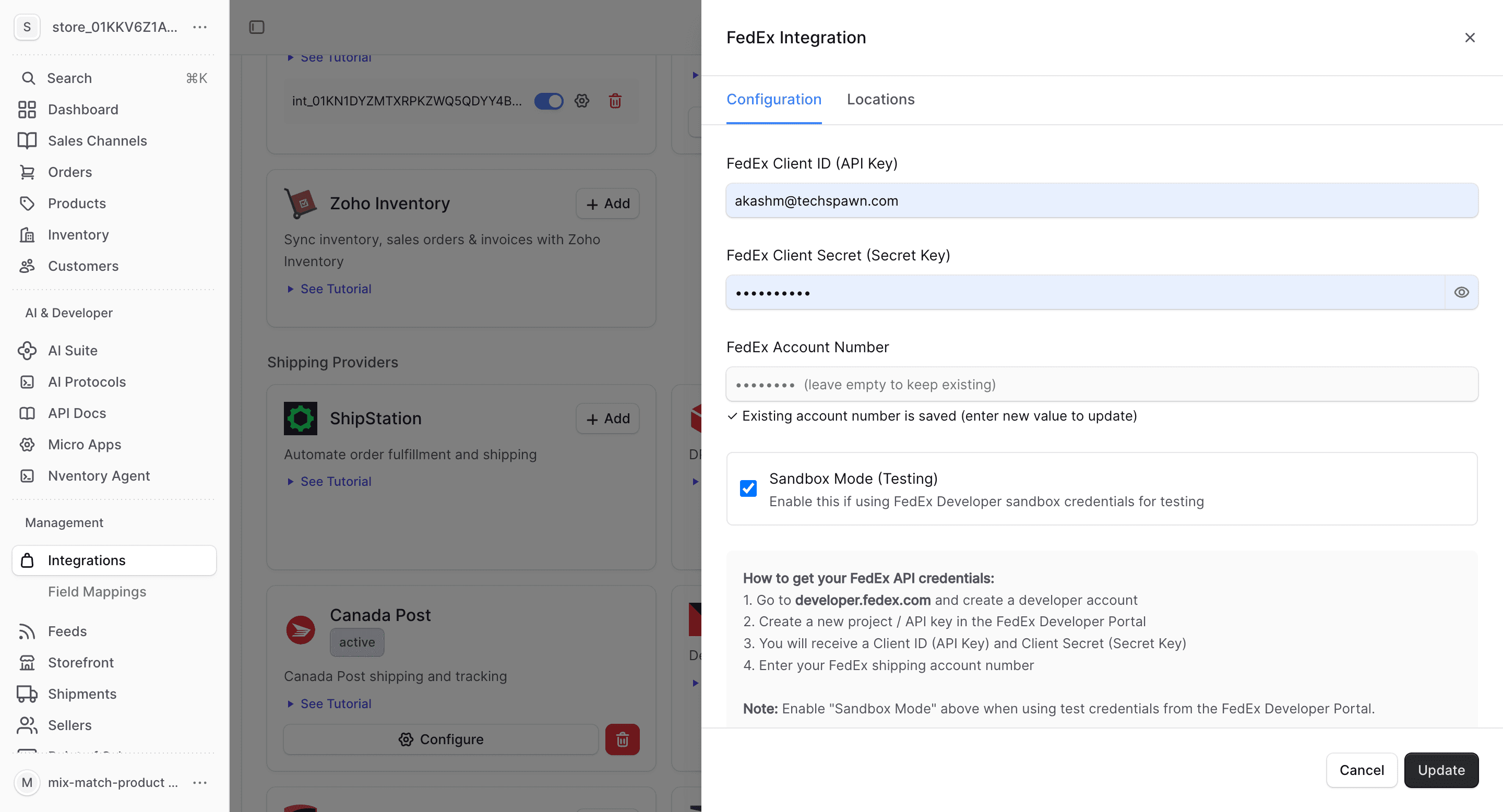
Enter Your FedEx Credentials
In the connection dialog, enter:
| Field | Description |
|---|---|
| Client ID | Your FedEx API Client ID |
| Client Secret | Your FedEx API Client Secret |
| Account Number | Your FedEx shipping account number |
| Environment | Sandbox (testing) or Production |
Click Save to connect.
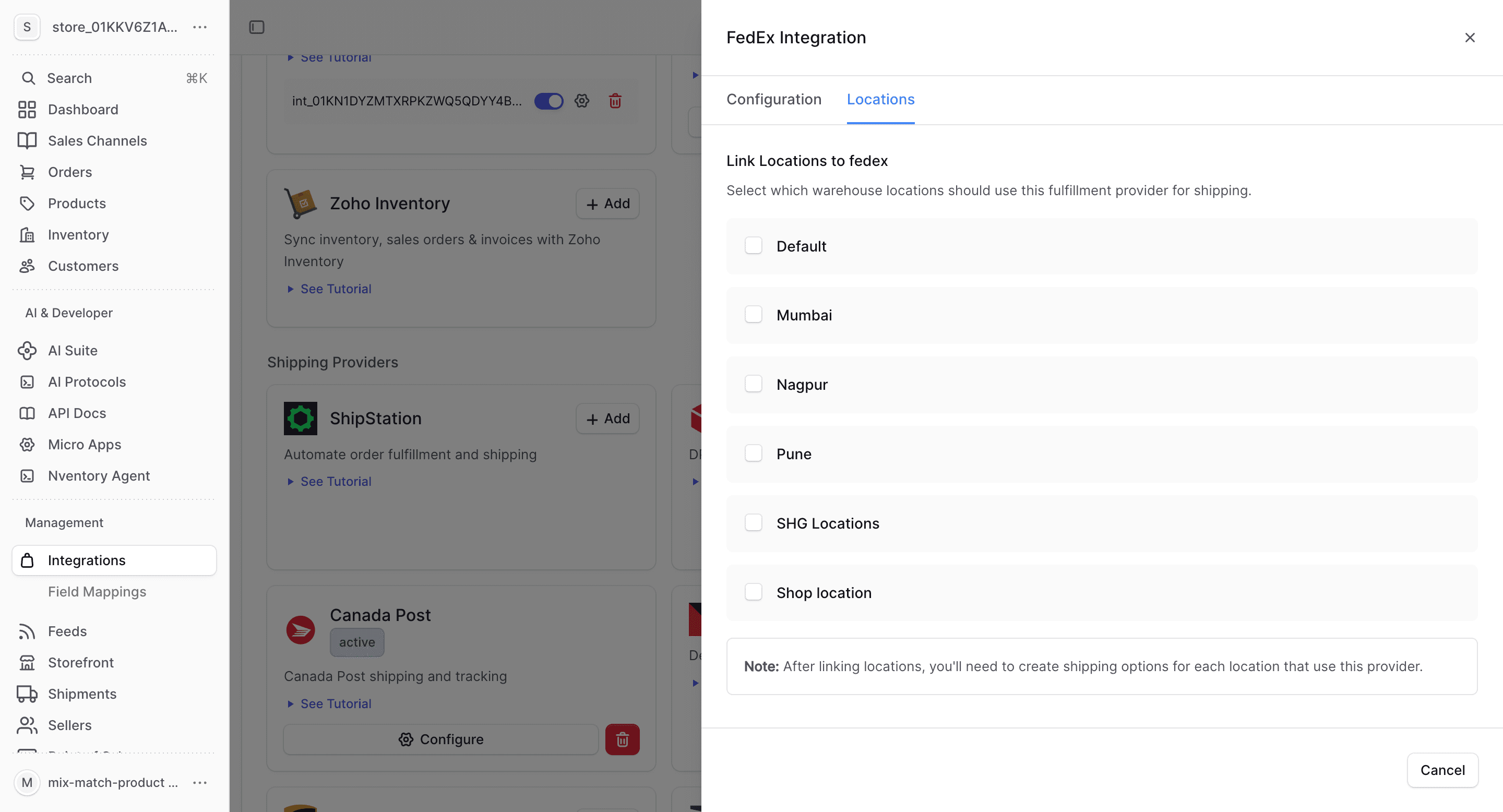
Configure Locations
Assign FedEx as a shipping provider for your Nventory stock locations. Each location can have different shipping providers.
What FedEx Provides
| Feature | Supported |
|---|---|
| Real-time rates | Yes |
| Label generation | Yes |
| Tracking | Yes |
| Multi-location | Yes |
Use the sandbox environment for testing before switching to production. Sandbox rates may differ from actual production rates.
FedEx-Specific Notes
- FedEx supports all major service types: Ground, Express, Home Delivery, Freight
- Rate quotes are based on package dimensions, weight, and origin/destination
- Labels are generated in PDF format
- Tracking numbers are automatically stored on the order in Nventory