Odoo Integration
Connect your Odoo instance to Nventory using API credentials.
Connecting Odoo
Nventory connects to Odoo using direct API credentials via JSON-RPC, supporting both Odoo Online and self-hosted instances.
Prerequisites
- Odoo 14+ (Online or self-hosted)
- An Odoo user with API access enabled
- API key generated in Odoo user preferences
Setup Steps
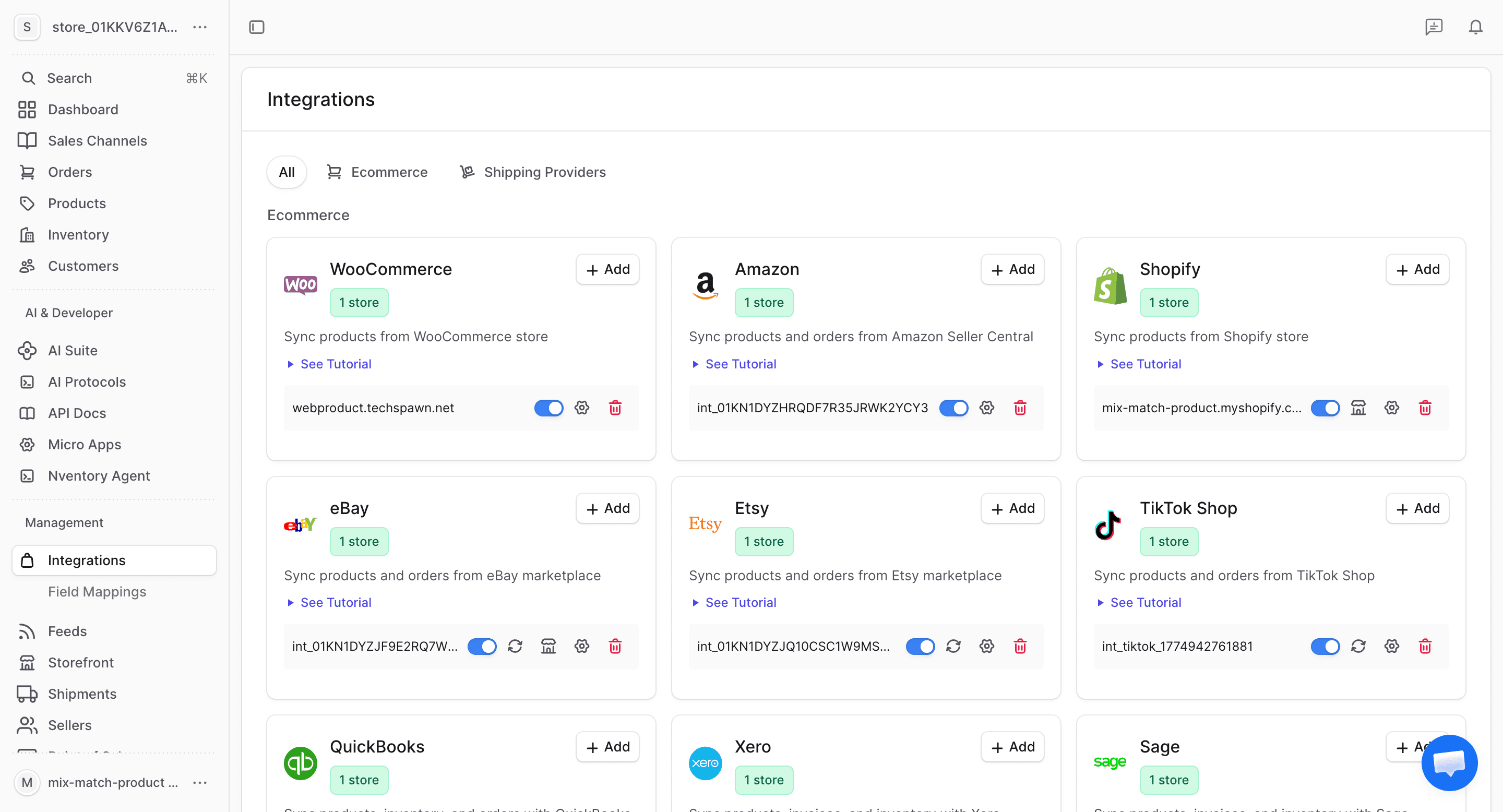
Navigate to Integrations
From your dashboard sidebar, click on Integrations to see all available platforms.
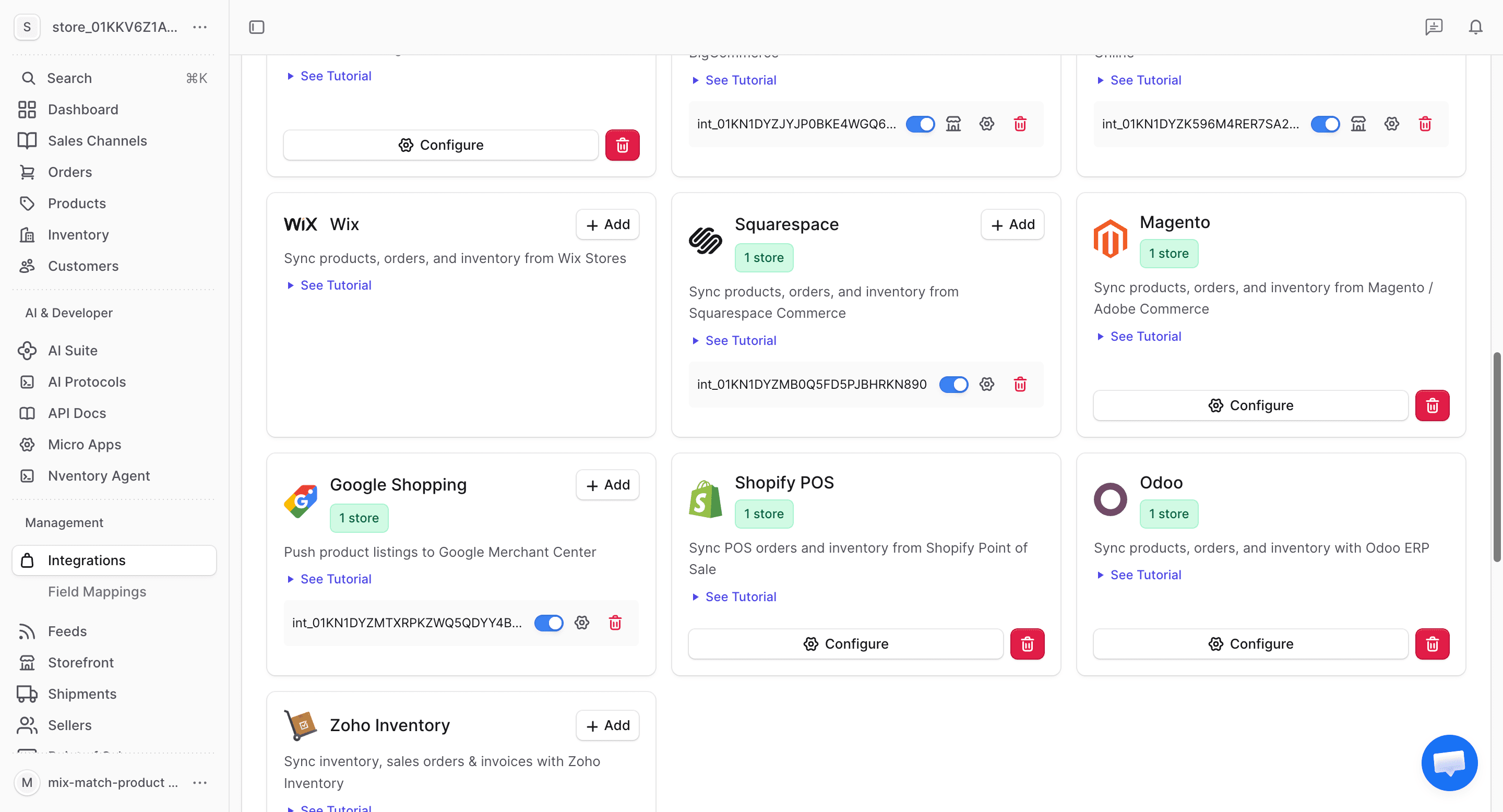
Click Add on Odoo
Find the Odoo card in the available integrations and click + Add to begin the setup.
Generate an API Key in Odoo
In your Odoo instance:
- Go to Settings → Users & Companies → Users
- Select your user
- Go to the Account Security tab
- Under API Keys, click New API Key
- Name it (e.g., "Nventory") and copy the key
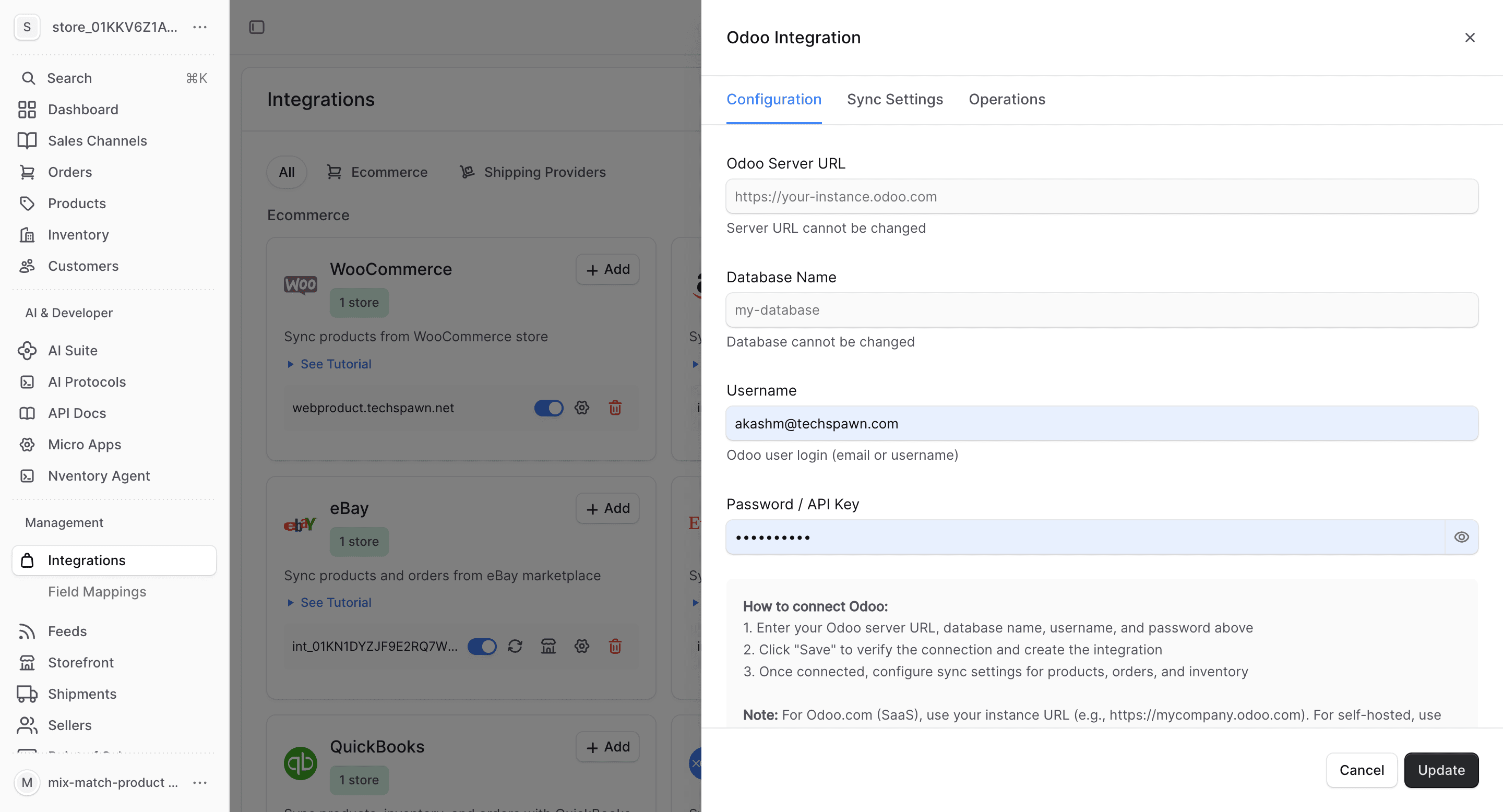
Enter Your Credentials
In the Nventory connection dialog, enter:
| Field | Description |
|---|---|
| Odoo URL | Your Odoo instance URL (e.g., https://mycompany.odoo.com) |
| Database | The Odoo database name |
| Username | Your Odoo login email |
| API Key | The API key you generated |
Click Save to connect.
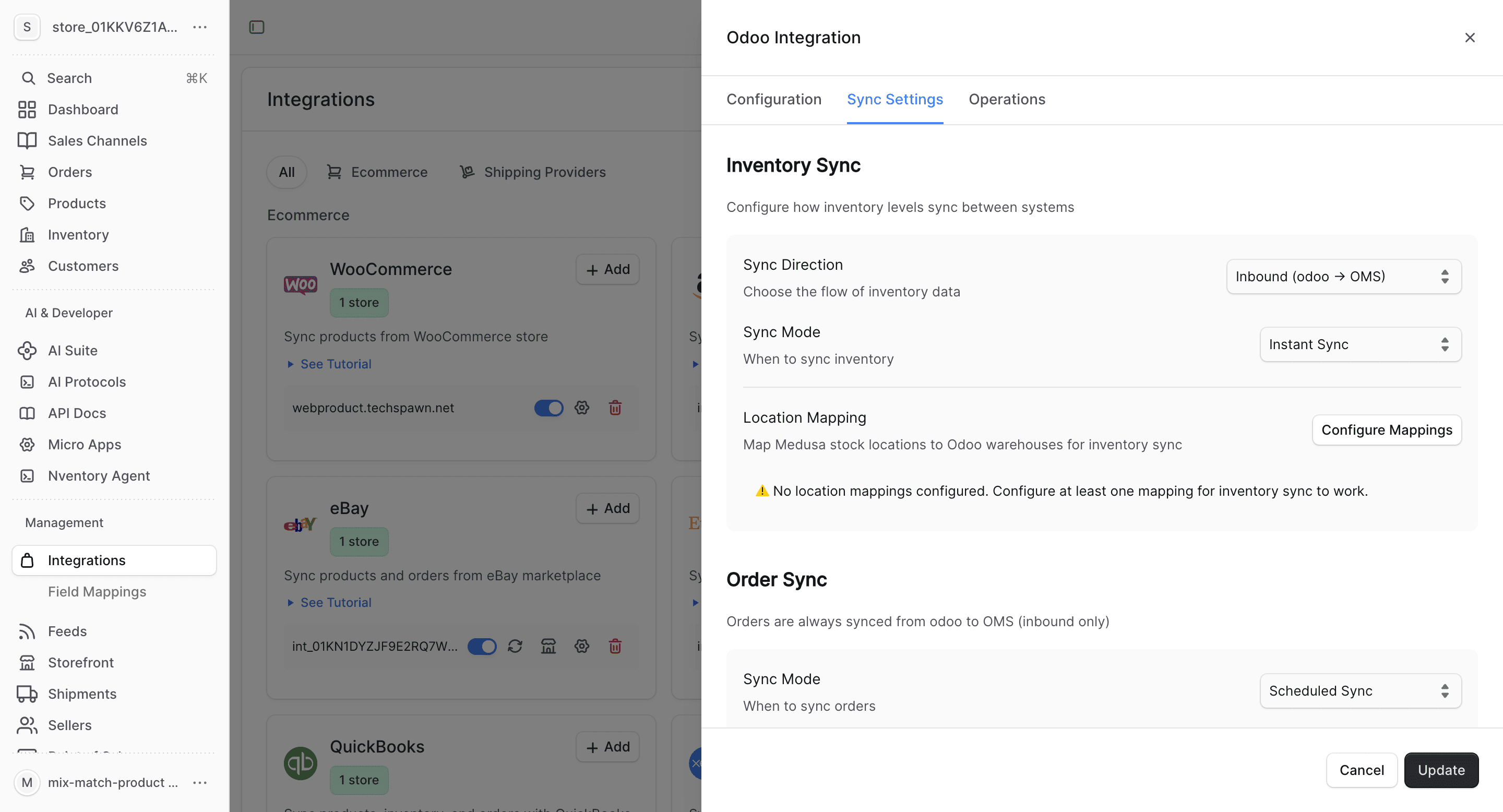
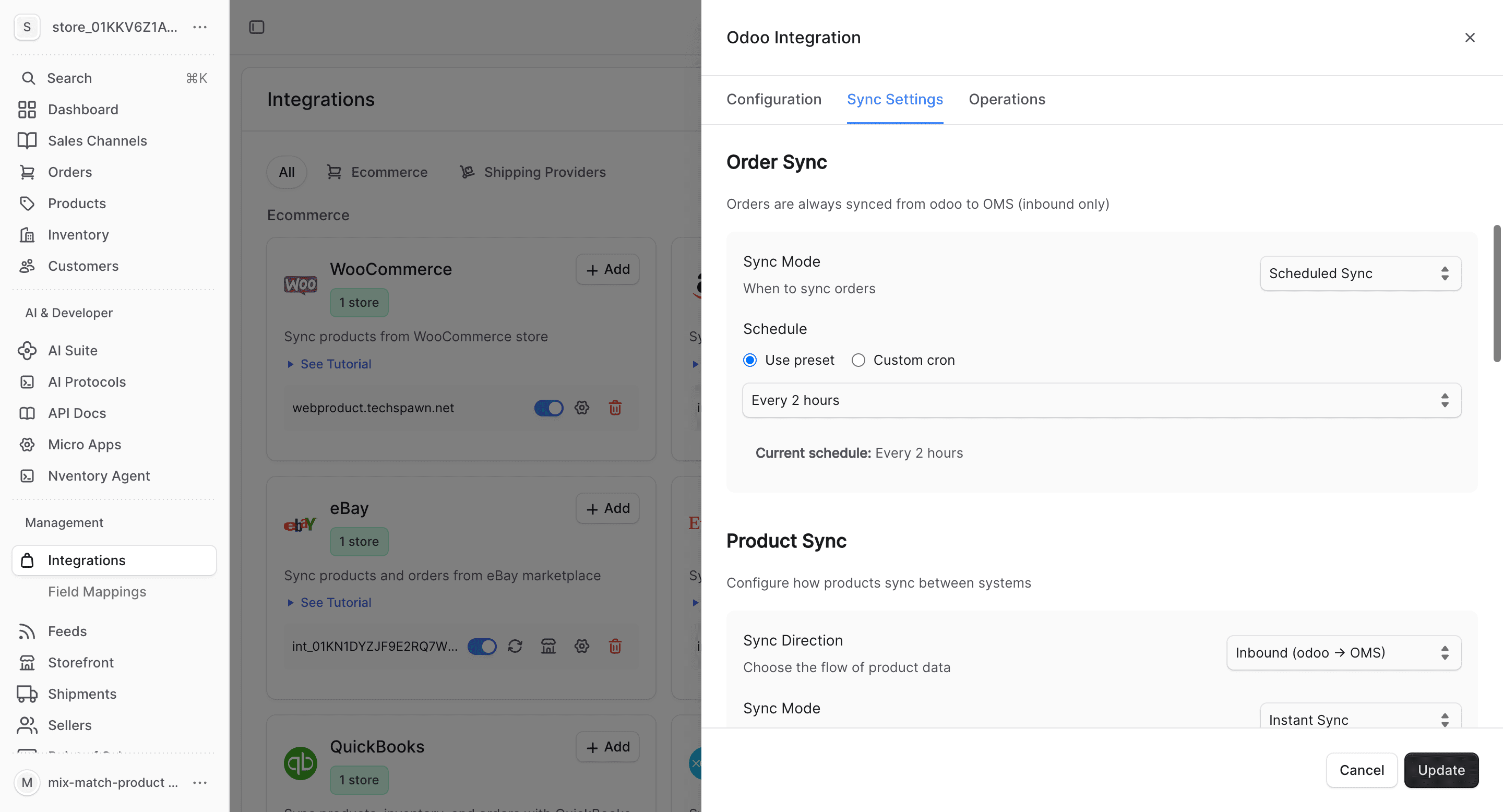
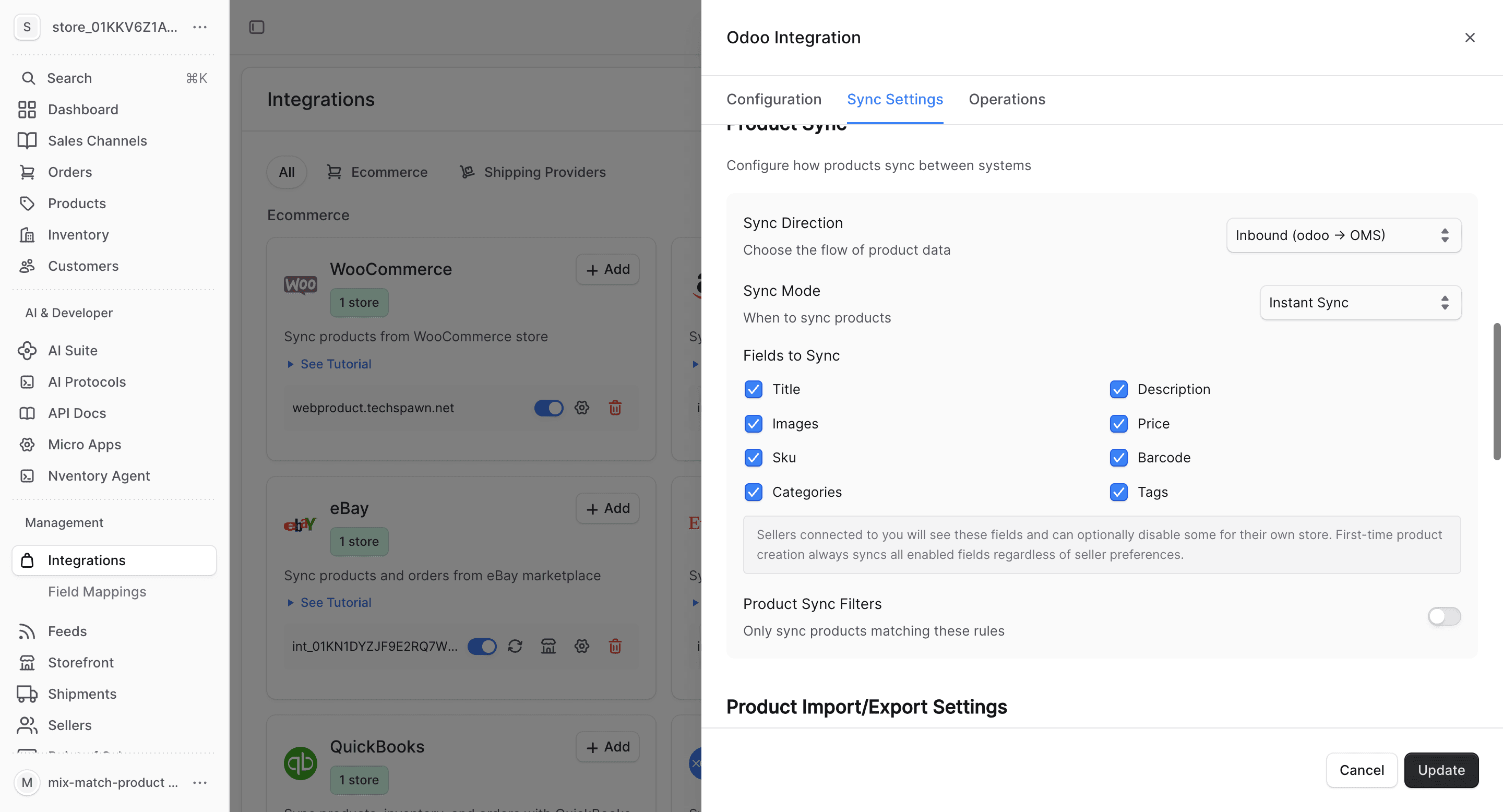
Configure Product Fields
Choose which product fields to sync and set up auto-import/export preferences.
What Gets Synced
| Entity | Import | Export | Real-time |
|---|---|---|---|
| Products | Yes | Yes | Via polling |
| Inventory | Yes | Yes | Via polling |
| Orders | Yes | Yes | Via polling |
| Customers | Yes | Yes | Via polling |
Odoo uses JSON-RPC for communication. Nventory polls for changes on a configurable schedule since Odoo doesn't provide native webhook support for all entity types.
Bulk Operations
Use the Operations tab for one-time bulk imports and manual syncing.
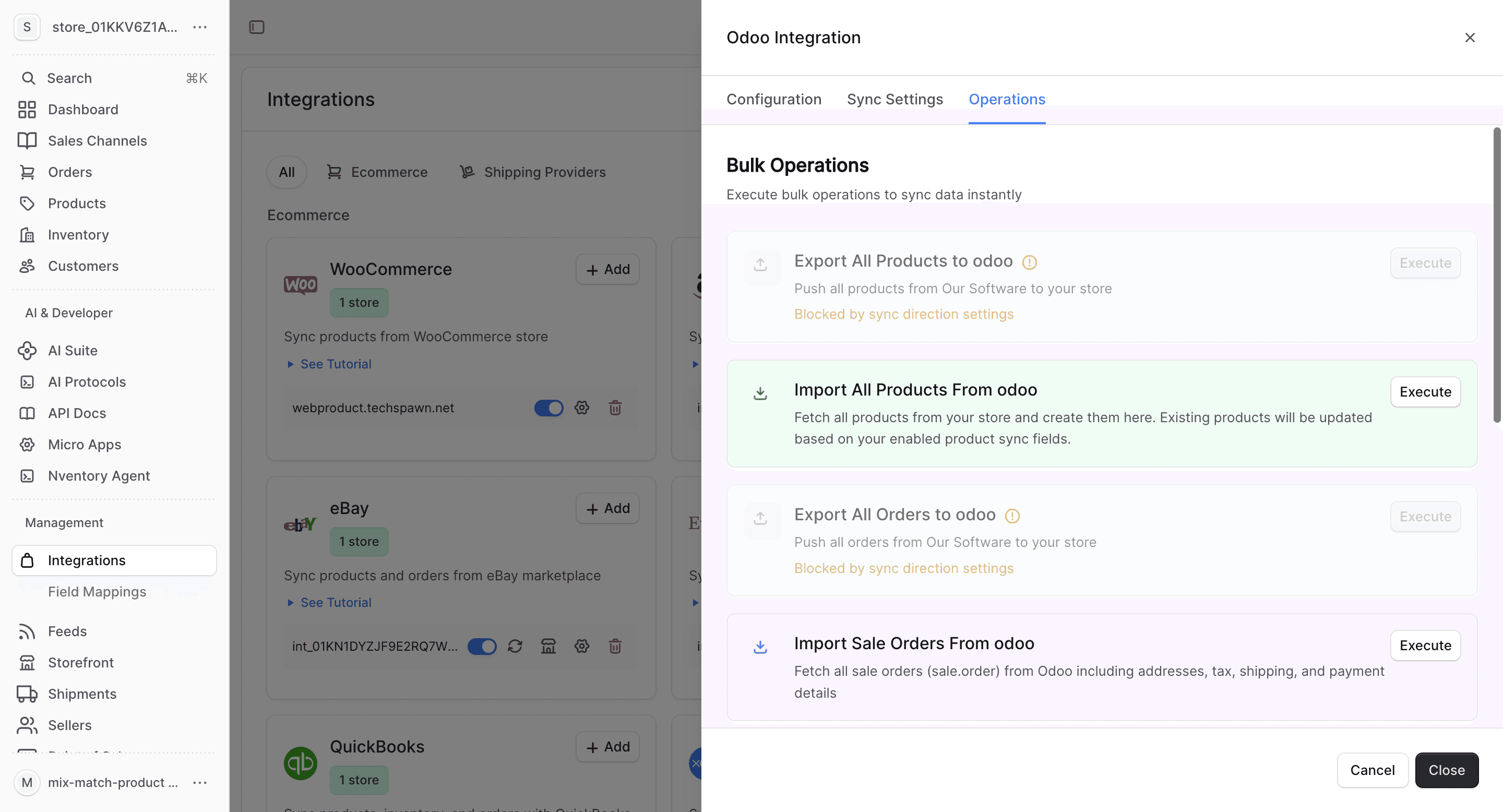
- Import All Orders — fetch all sale orders from Odoo
- Sync Inventory — update all stock quantities
- Import All Customers — fetch partners (customers) from Odoo
- Export All Customers — push Nventory customers to Odoo
Odoo-Specific Notes
- Odoo product templates map to Nventory products; product variants map to Nventory variants
- Odoo sale orders map to Nventory orders
- Odoo partners (with "Customer" tag) map to Nventory customers
- Odoo warehouse locations map to Nventory stock locations
- Supports both Odoo Community and Enterprise editions
- Self-hosted instances must allow external API access (check firewall rules)
- Multi-company setups can connect each company as a separate integration
For self-hosted Odoo instances, ensure your server allows external connections on the Odoo port and that HTTPS is configured for secure API communication.