Integrations
UPS Integration
Connect UPS to Nventory for shipping rates and label generation.
Connecting UPS
Nventory integrates with UPS through their OAuth API for real-time rates and label generation.
Prerequisites
- A UPS account
- API credentials from the UPS Developer Portal
Setup Steps
Navigate to Integrations
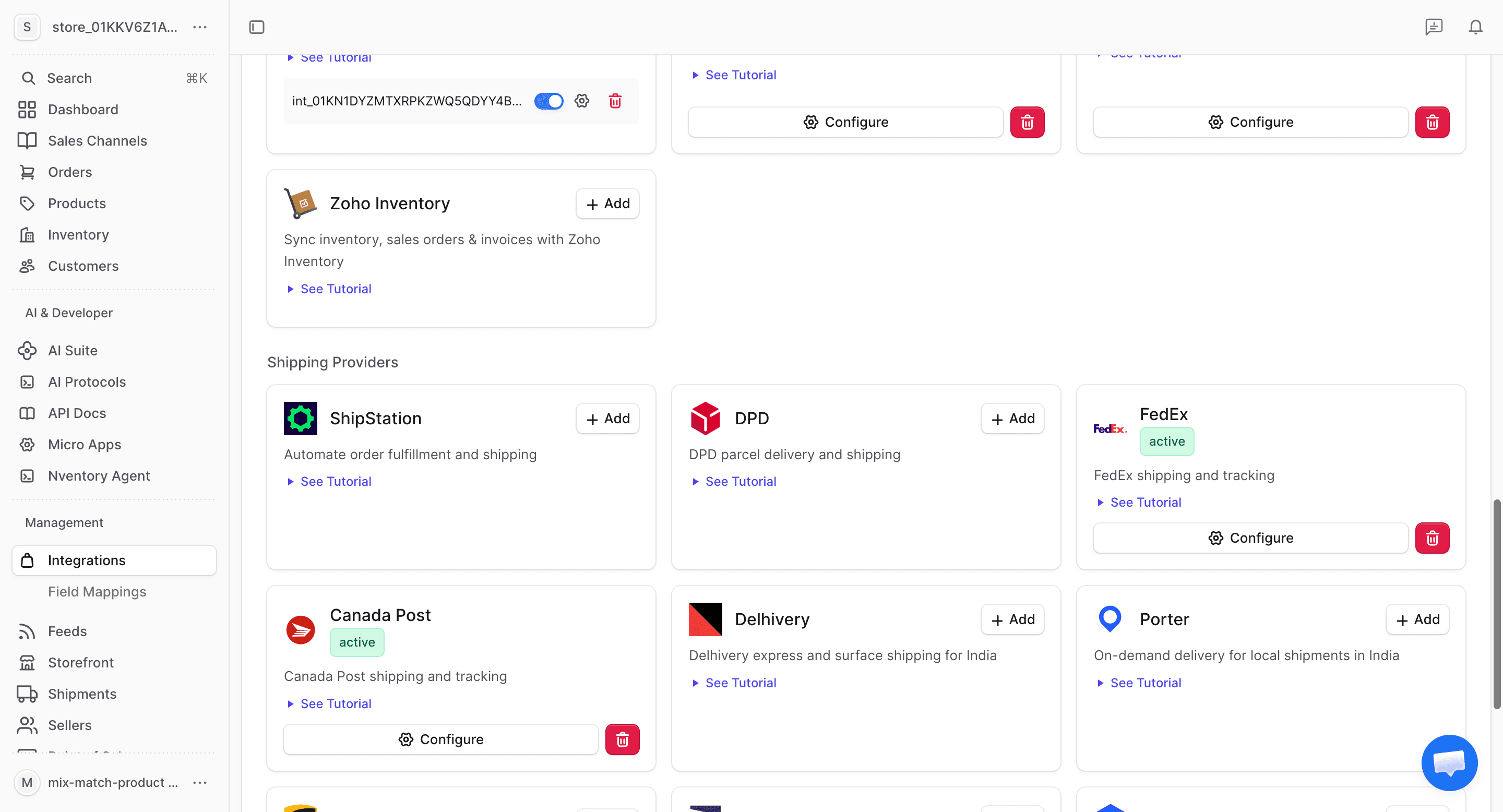
From your dashboard sidebar, click on Integrations and scroll to the Shipping section.
Enter Your UPS Credentials
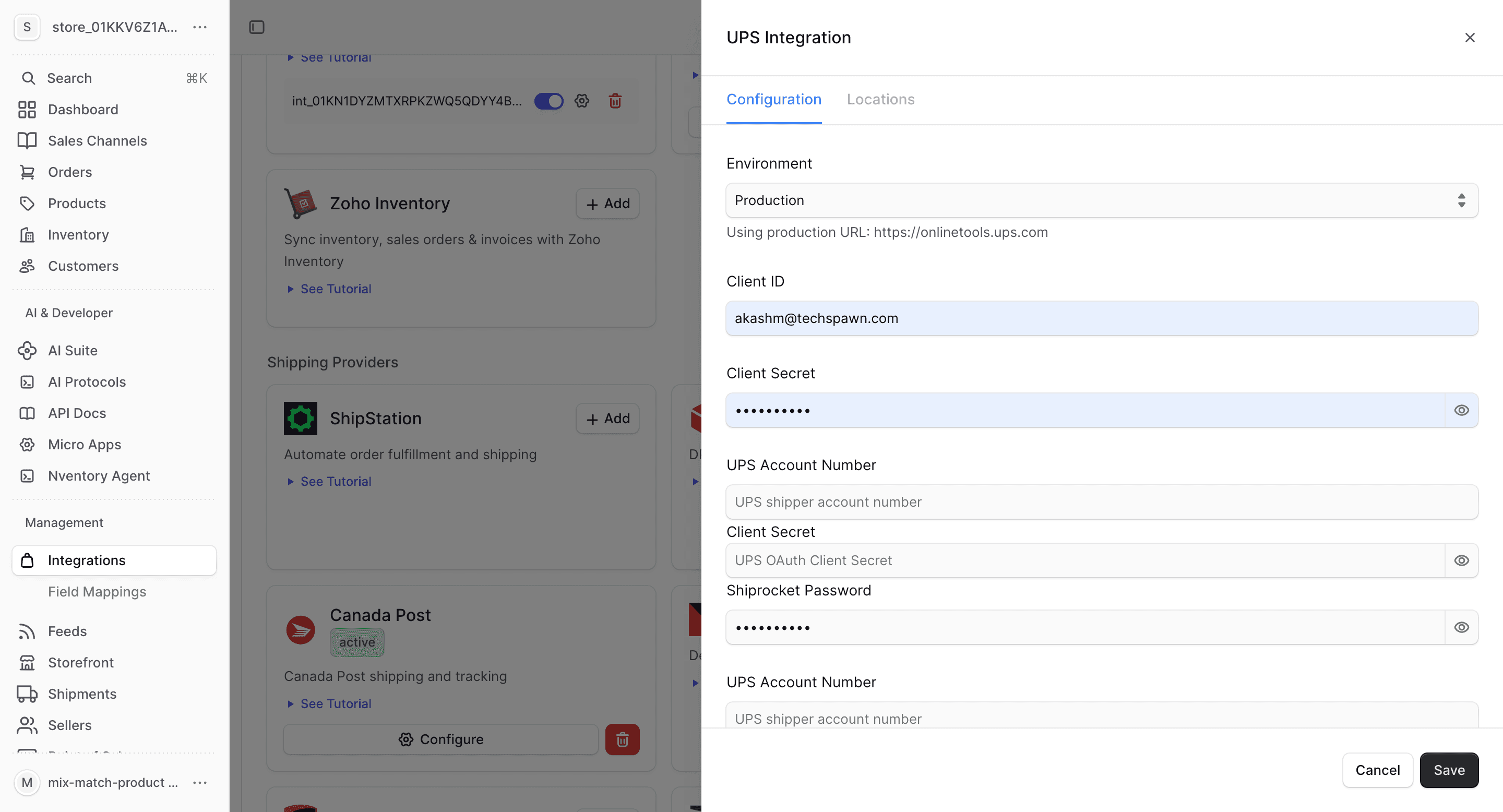
In the connection dialog, enter your UPS API credentials:
| Field | Description |
|---|---|
| Client ID | Your UPS OAuth Client ID |
| Client Secret | Your UPS OAuth Client Secret |
| Account Number | Your UPS shipper account number |
| Environment | Sandbox or Production |
Click Save to connect.
Configure Locations
Assign UPS as a shipping provider for your Nventory stock locations.
What UPS Provides
| Feature | Supported |
|---|---|
| Real-time rates | Yes |
| Label generation | Yes |
| Tracking | Yes |
| Multi-location | Yes |
UPS-Specific Notes
- Supports all UPS service types: Ground, 2nd Day Air, Next Day Air, etc.
- International shipping with customs documentation
- Negotiated rates available with your UPS account
- Address validation included