Xero Integration
Connect Xero to Nventory for accounting and inventory sync.
Connecting Xero
Nventory connects to Xero through OAuth authorization, syncing products, inventory, and customer data.
Prerequisites
- A Xero account with an active organization
- Admin or standard user access
Setup Steps
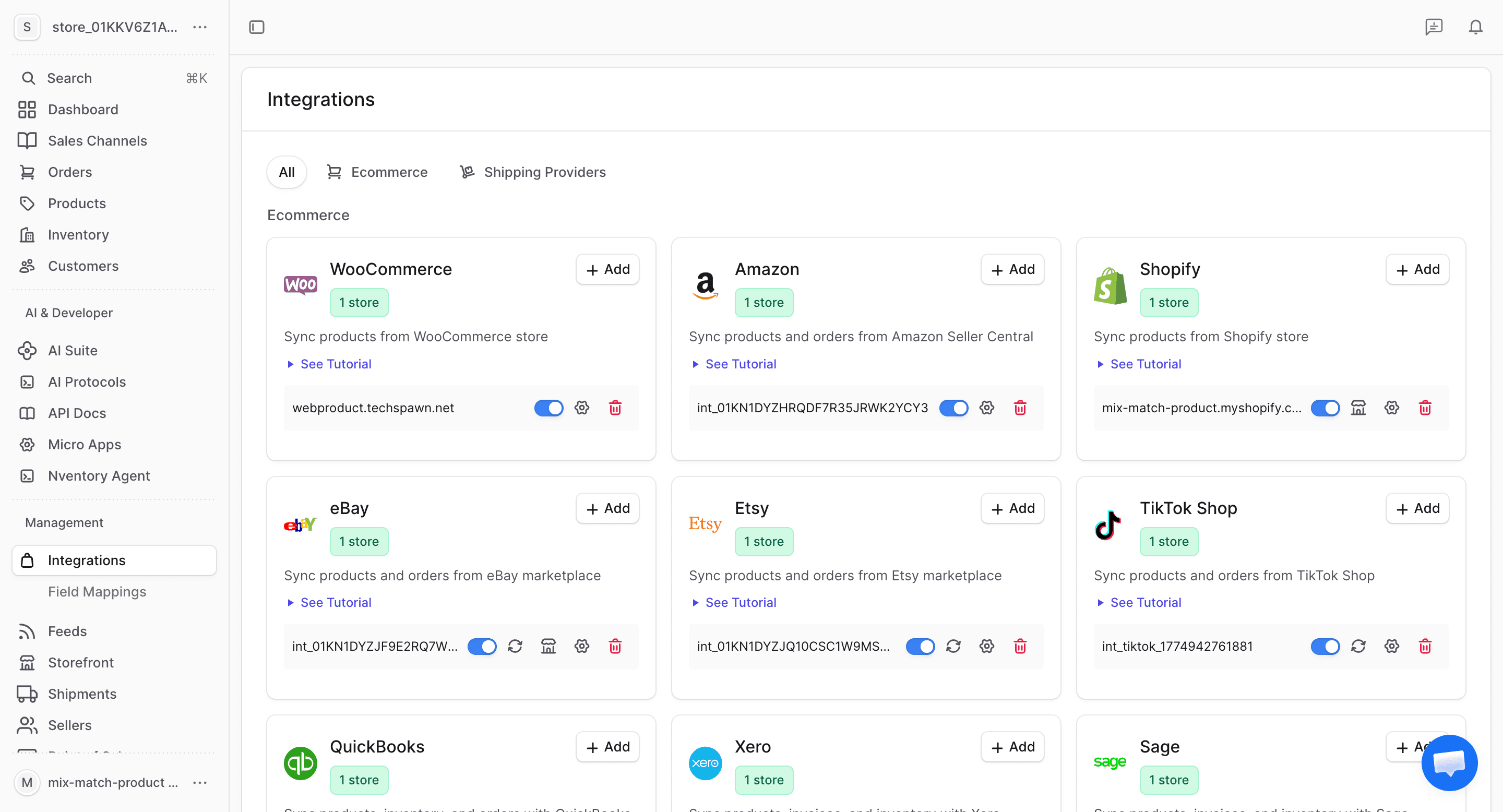
Navigate to Integrations
From your dashboard sidebar, click on Integrations to see all available platforms.
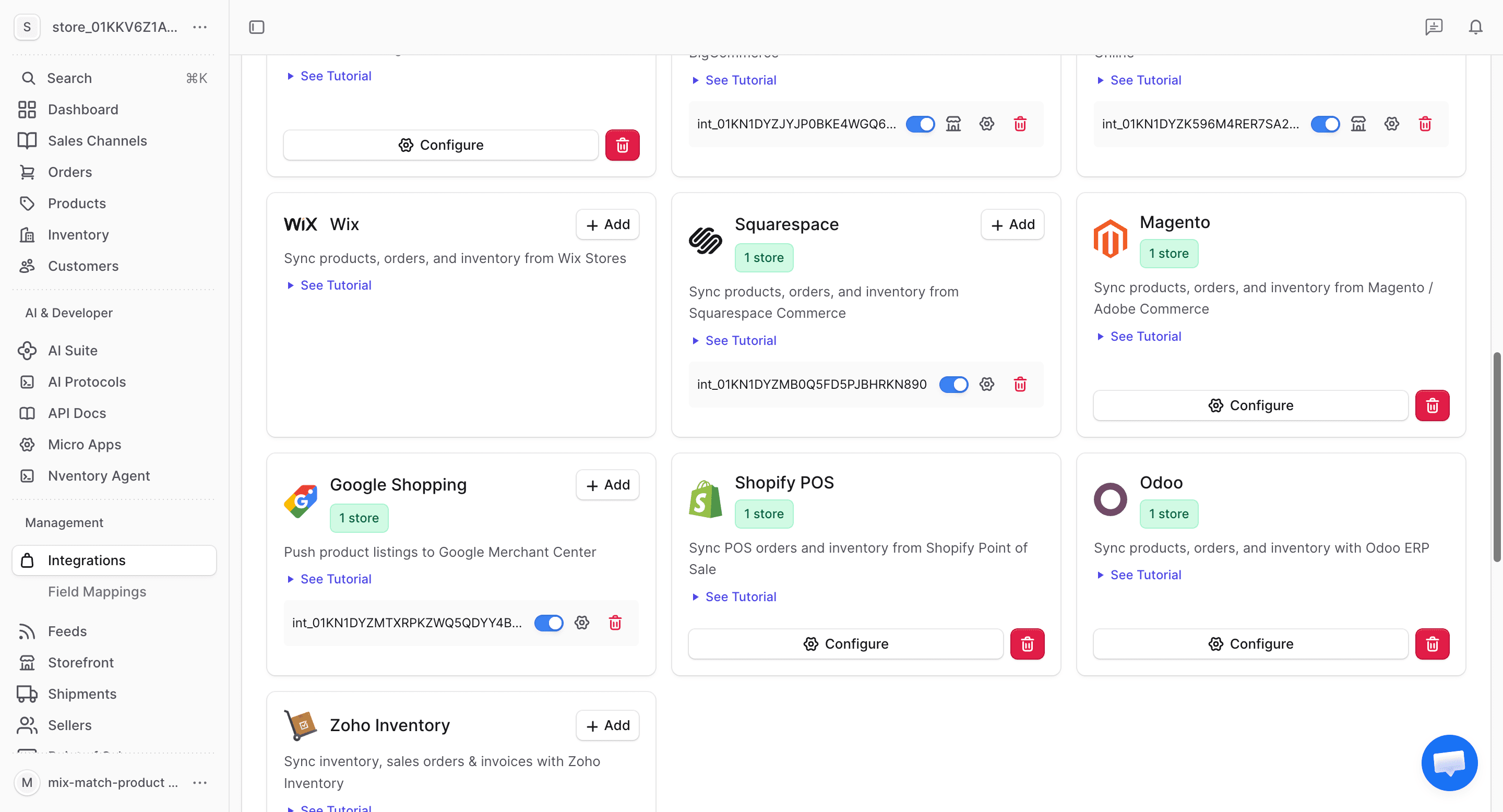
Click Add on Xero
Find the Xero card in the available integrations and click + Add to start connecting.
Authorize on Xero
You'll be redirected to Xero's authorization page. Sign in and select the organization you want to connect. Grant Nventory access to your accounting data.
Click Allow access to continue.
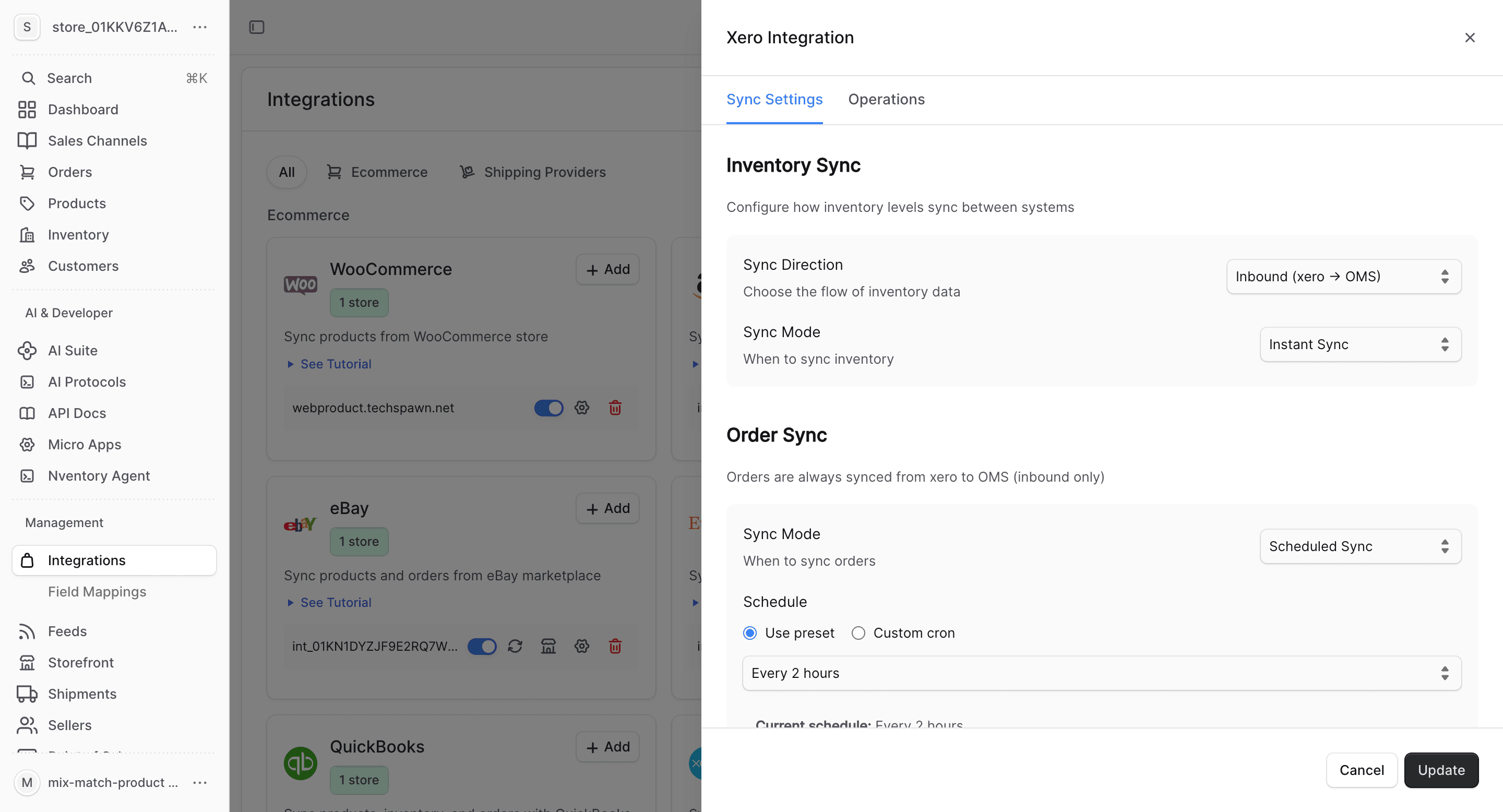
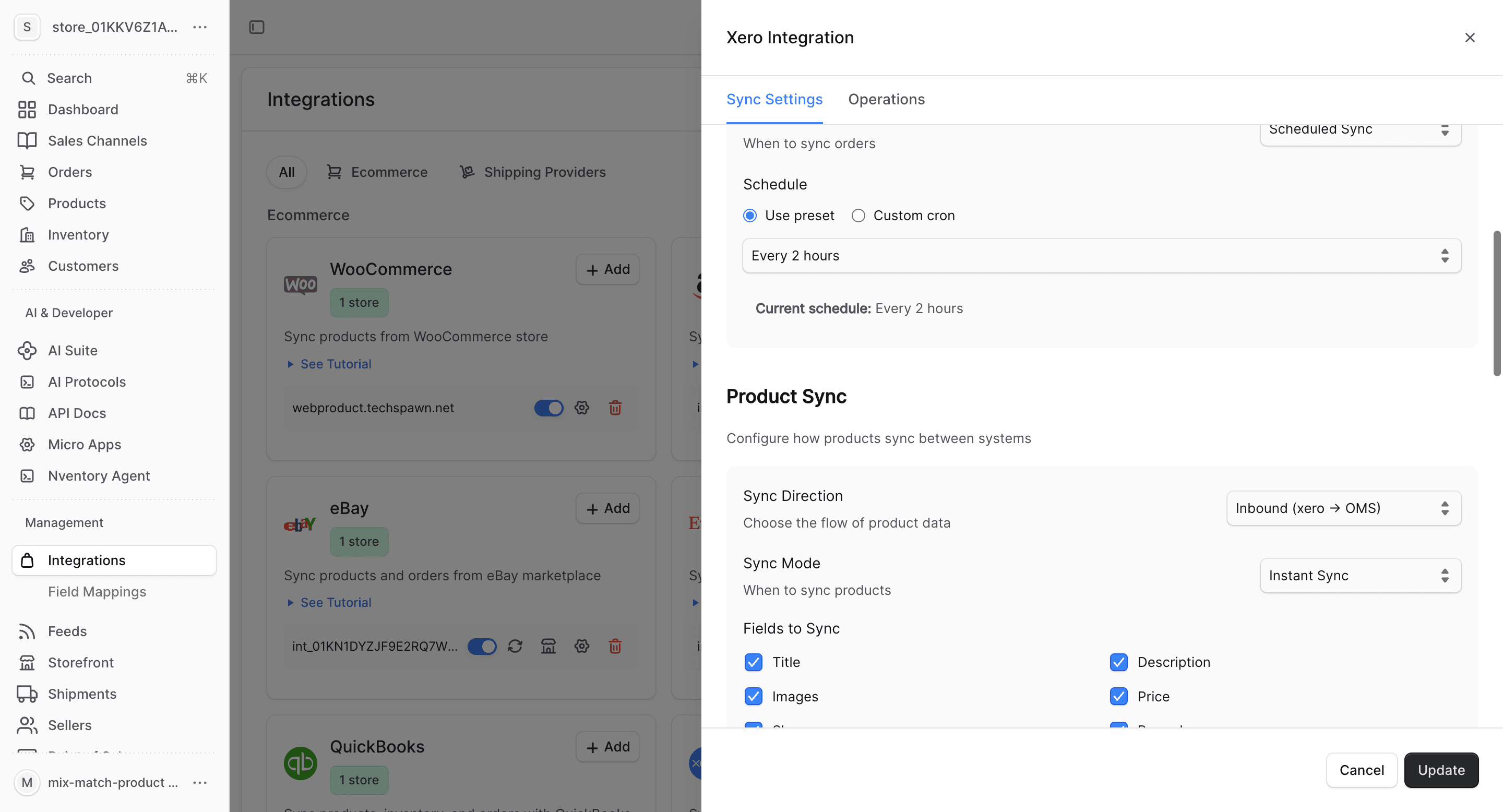
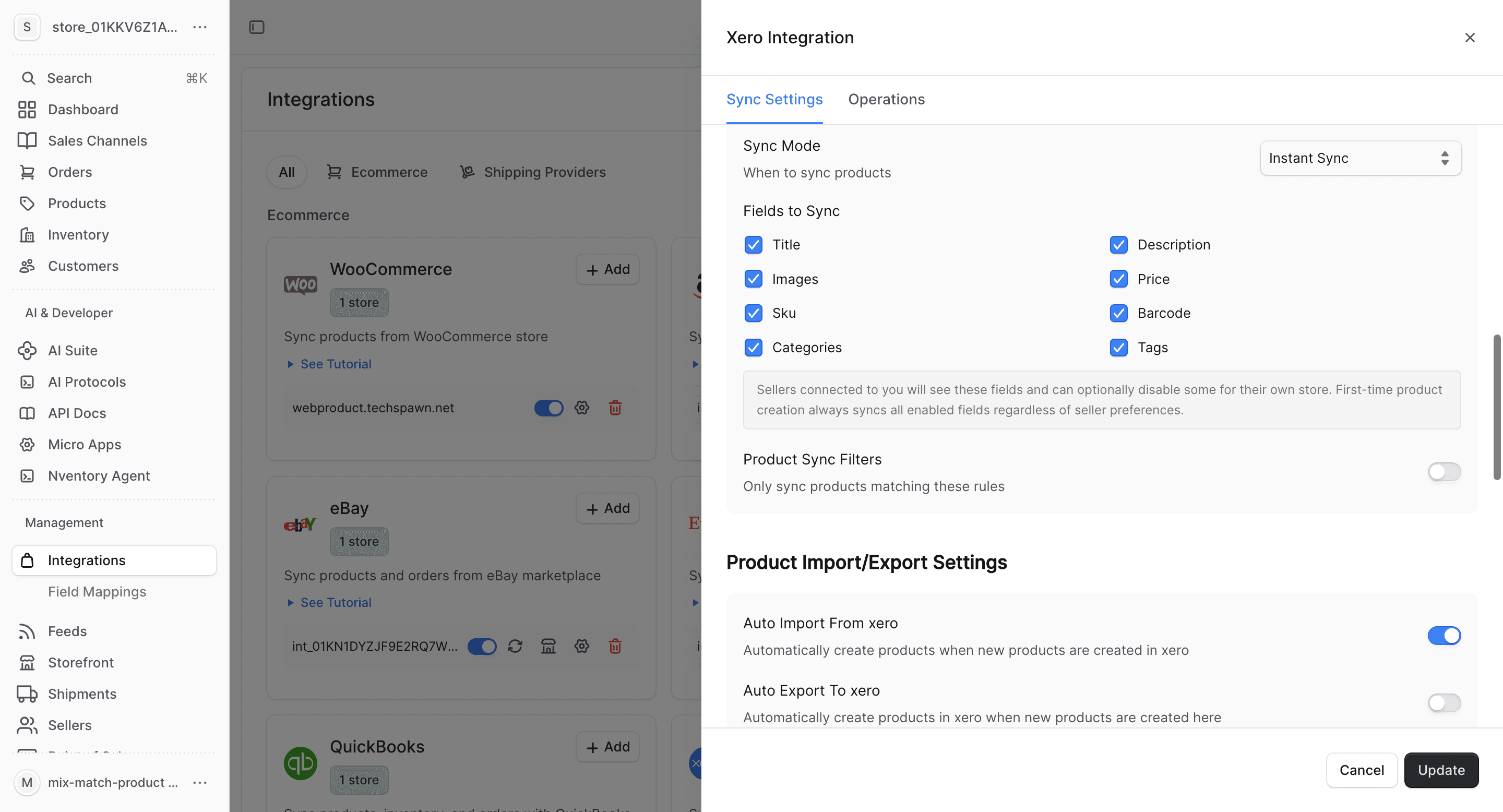
Configure Product Fields
Choose which product fields to sync and set up auto-import/export preferences.
What Gets Synced
| Entity | Import | Export | Real-time |
|---|---|---|---|
| Products | Yes | Yes | Webhook-driven |
| Inventory | Yes | Yes | Webhook-driven |
| Orders | Yes | Yes | Webhook-driven |
| Customers | Yes | Yes | Webhook-driven |
Bulk Operations
Use the Operations tab for one-time bulk imports and manual syncing.
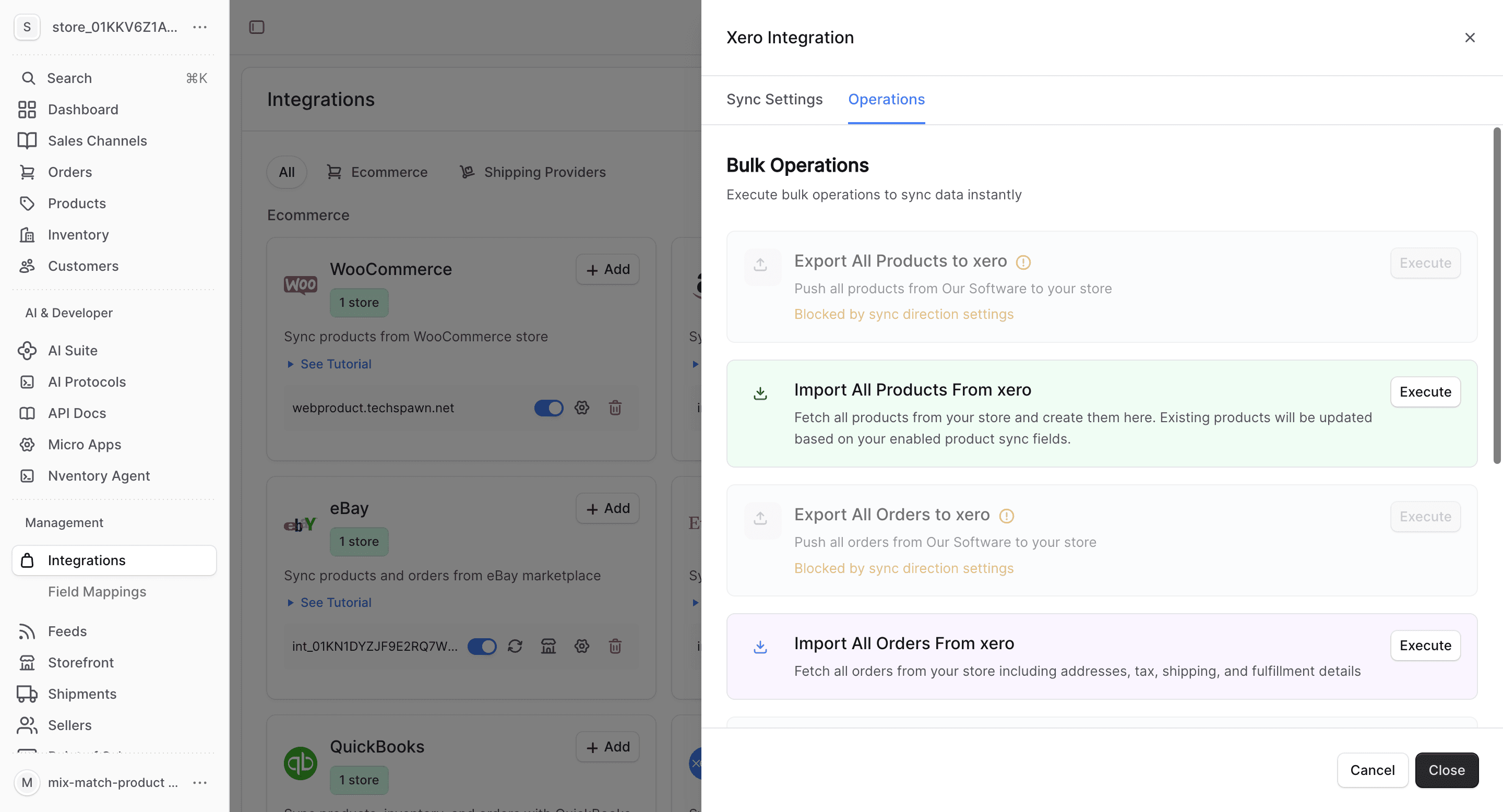
- Import All Orders — fetch all invoices from Xero
- Sync Inventory — update all stock quantities
- Import All Customers — fetch contacts from Xero
- Export All Customers — push Nventory customers to Xero
Xero-Specific Notes
- Xero items map to Nventory products
- Xero invoices and sales map to Nventory orders
- Contacts in Xero map to Nventory customers
- Multi-currency transactions follow your Xero organization's settings
- Xero's tracking categories can be used for additional categorization
Xero limits API calls per organization. Nventory optimizes API usage to stay within limits during bulk operations.