Integrations
EasyPost Integration
Connect EasyPost to Nventory for multi-carrier shipping with a single API.
Connecting EasyPost
Nventory integrates with EasyPost — a multi-carrier shipping API that gives you access to USPS, UPS, FedEx, DHL, and many more through a single integration.
Prerequisites
- An EasyPost account
- Your EasyPost API key (test or production)
Setup Steps
Navigate to Integrations
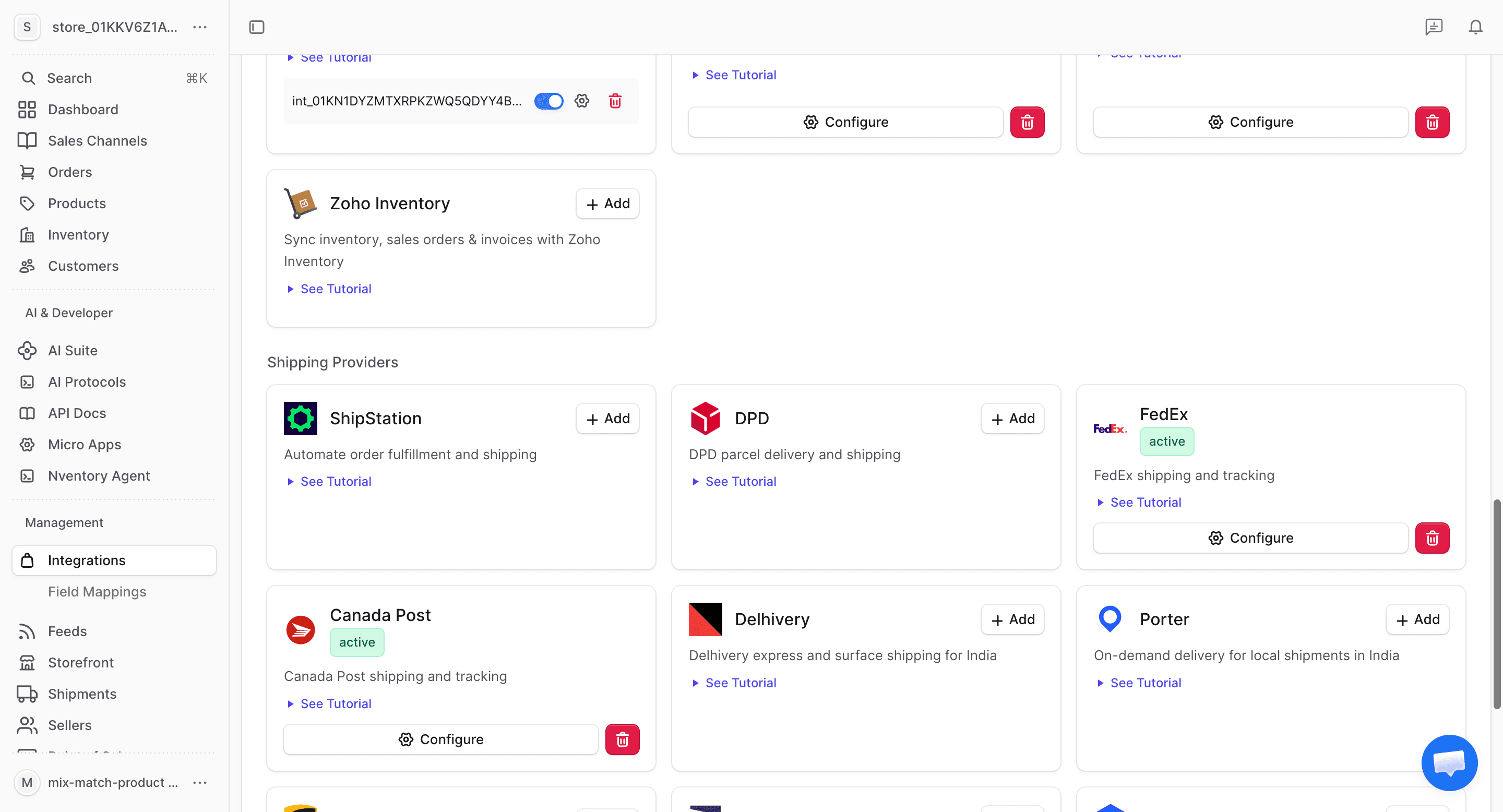
From your dashboard sidebar, click on Integrations and scroll to the Shipping section.
Enter Your EasyPost API Key
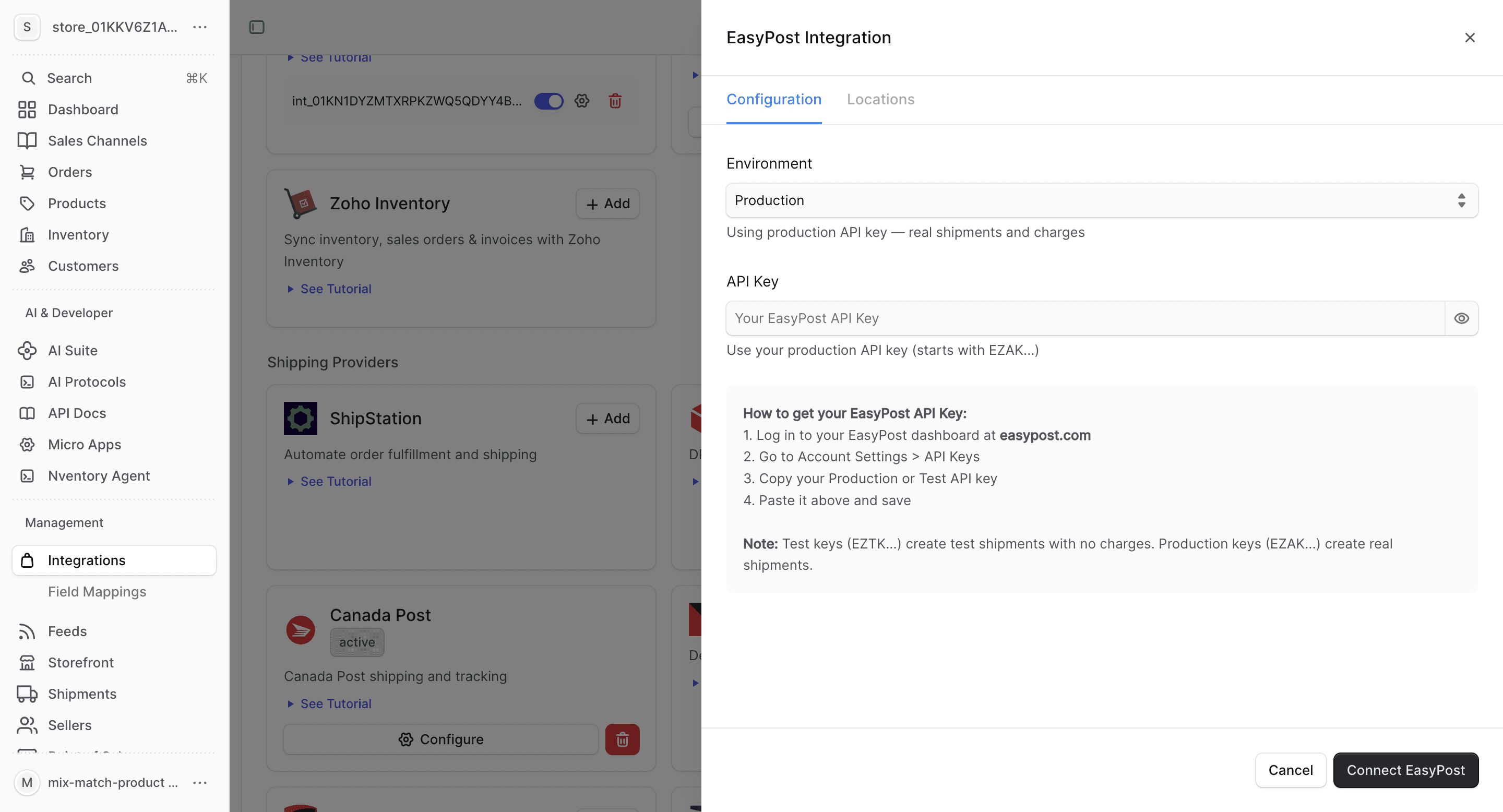
In the connection dialog, enter your EasyPost API key. Use the test key for sandbox testing or the production key for live shipments.
Click Save to connect.
Configure Locations
Assign EasyPost as a shipping provider for your Nventory stock locations.
What EasyPost Provides
| Feature | Supported |
|---|---|
| Real-time rates | Yes (multi-carrier) |
| Label generation | Yes |
| Tracking | Yes |
| Rate comparison | Yes |
EasyPost-Specific Notes
- Access to 100+ carriers through a single integration
- Automatic rate comparison across all enabled carriers
- USPS Commercial Plus pricing included
- Insurance and customs documentation
- Address verification
- Batch label creation for high-volume shipping
- Use the test API key to simulate shipments before going live
EasyPost is ideal if you want to compare rates across multiple carriers without setting up individual integrations for each one.