Shopify POS Integration
Connect Shopify Point of Sale to Nventory for in-store inventory and order sync.
Connecting Shopify POS
Shopify POS (Point of Sale) connects through the same Shopify OAuth flow. If you already have a Shopify integration, Shopify POS data is included automatically.
Prerequisites
- A Shopify store with POS enabled
- Shopify POS subscription (Lite or Pro)
- At least one retail location configured in Shopify
Setup Steps
Navigate to Integrations
From your dashboard sidebar, click on Integrations to see all available platforms.
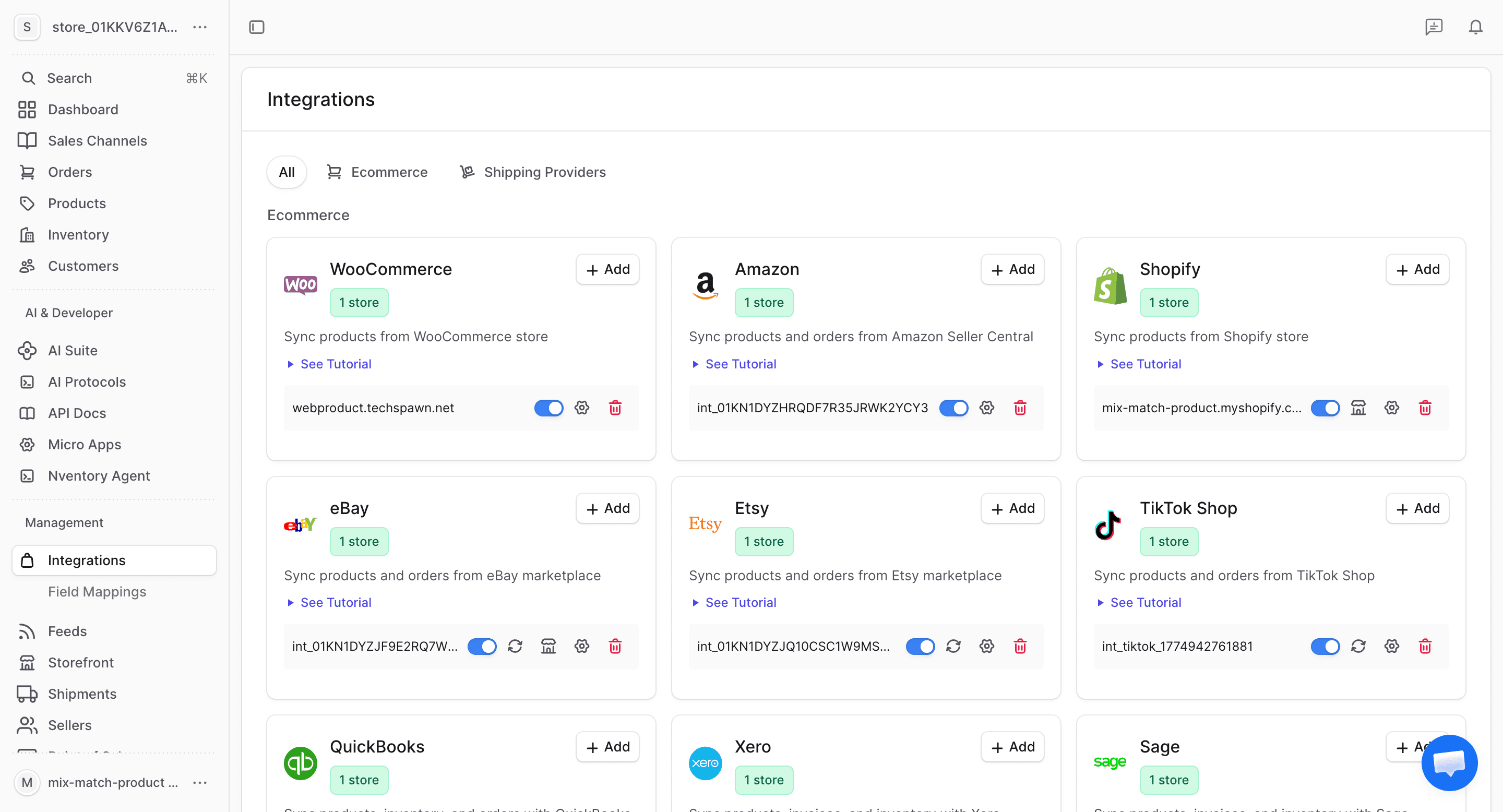
Click Add on Shopify POS
Find the Shopify POS card in the available integrations and click + Add to begin connecting.
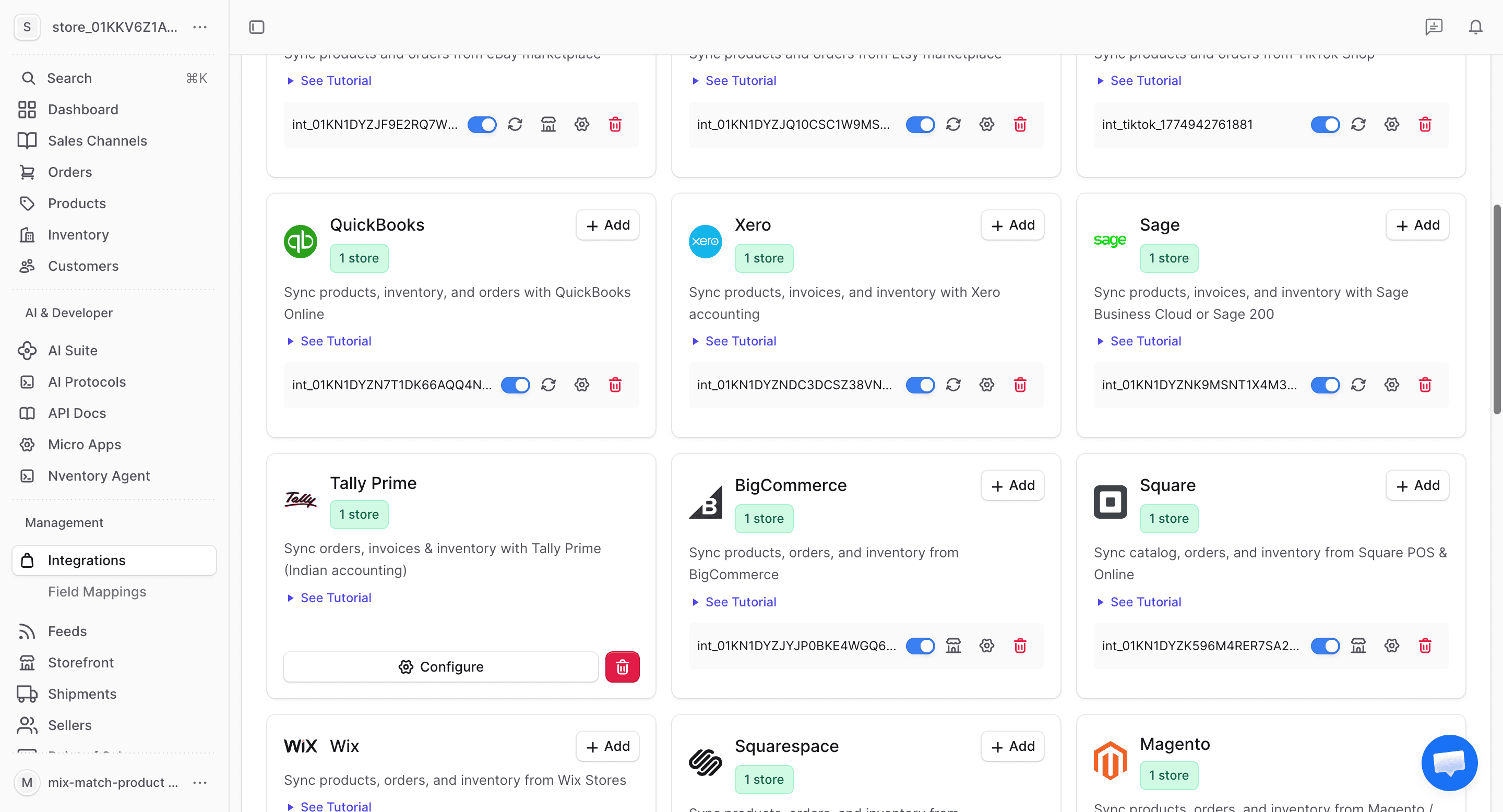
Authorize on Shopify
You'll be redirected to Shopify's OAuth authorization page. If you're already connected with a Shopify online store, the POS integration links to the same store. Authorize the additional POS permissions if prompted.
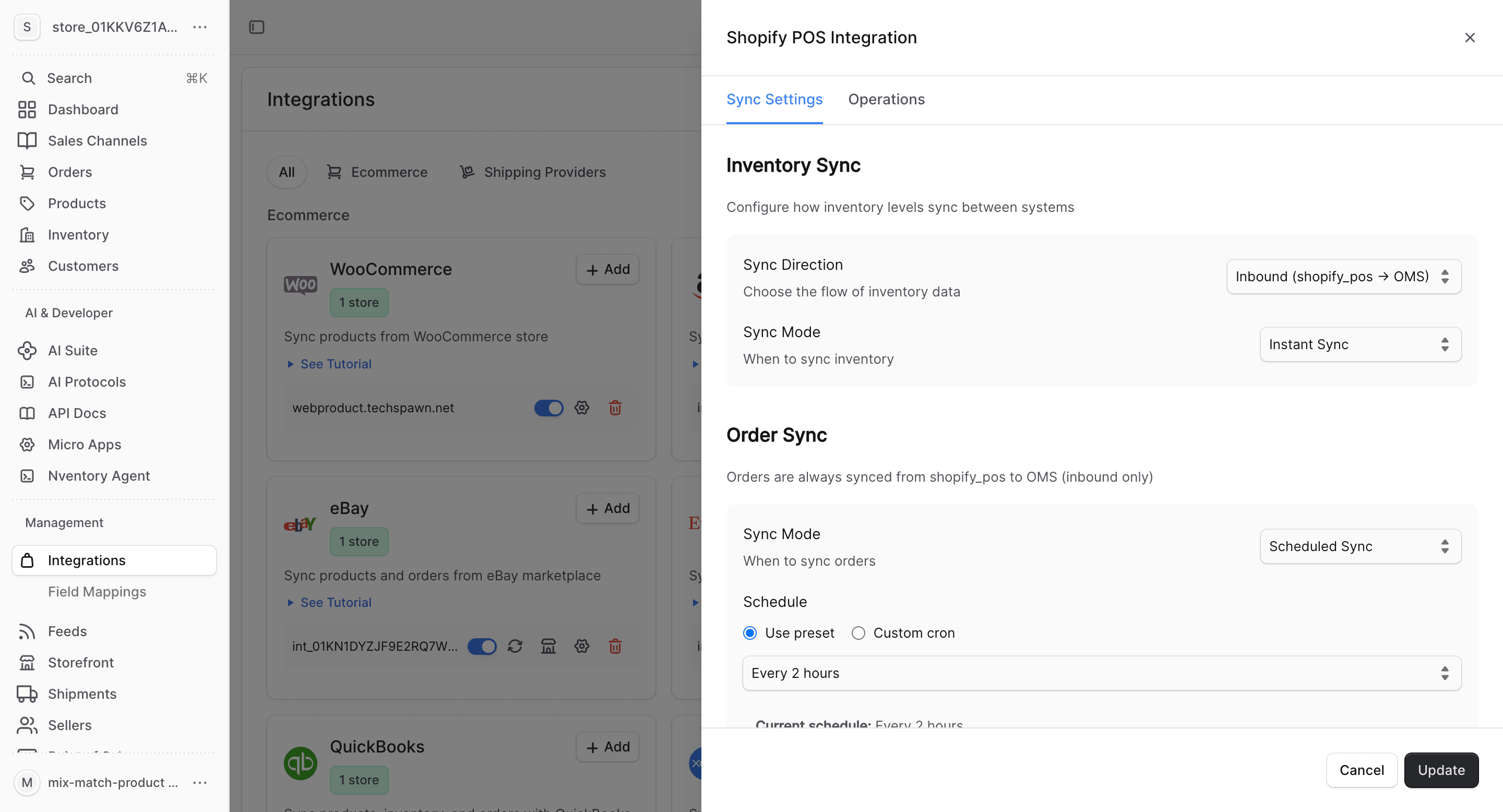
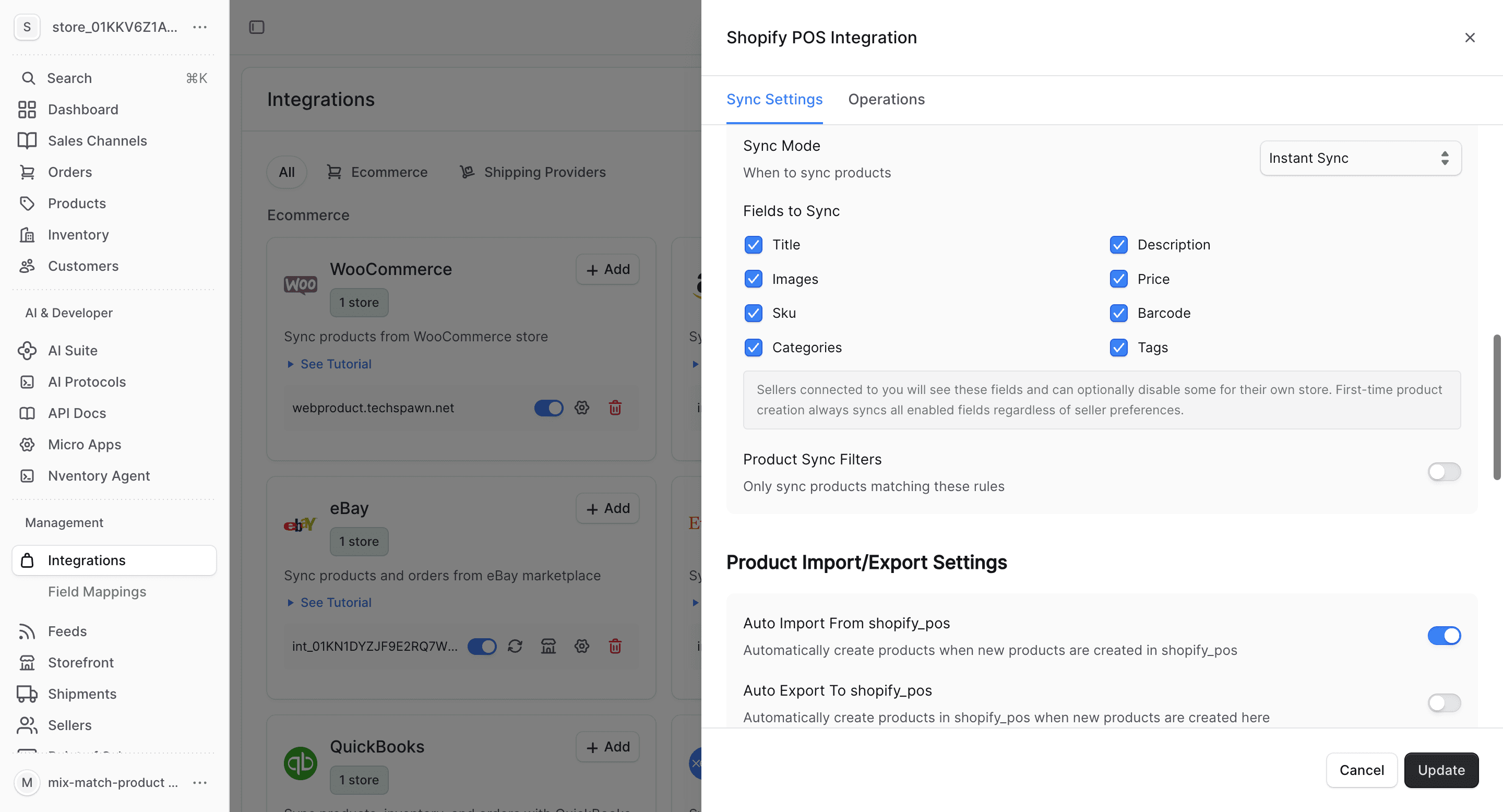
Configure Sync Settings
Set sync direction and mode for products, inventory, orders, and customers from your POS.
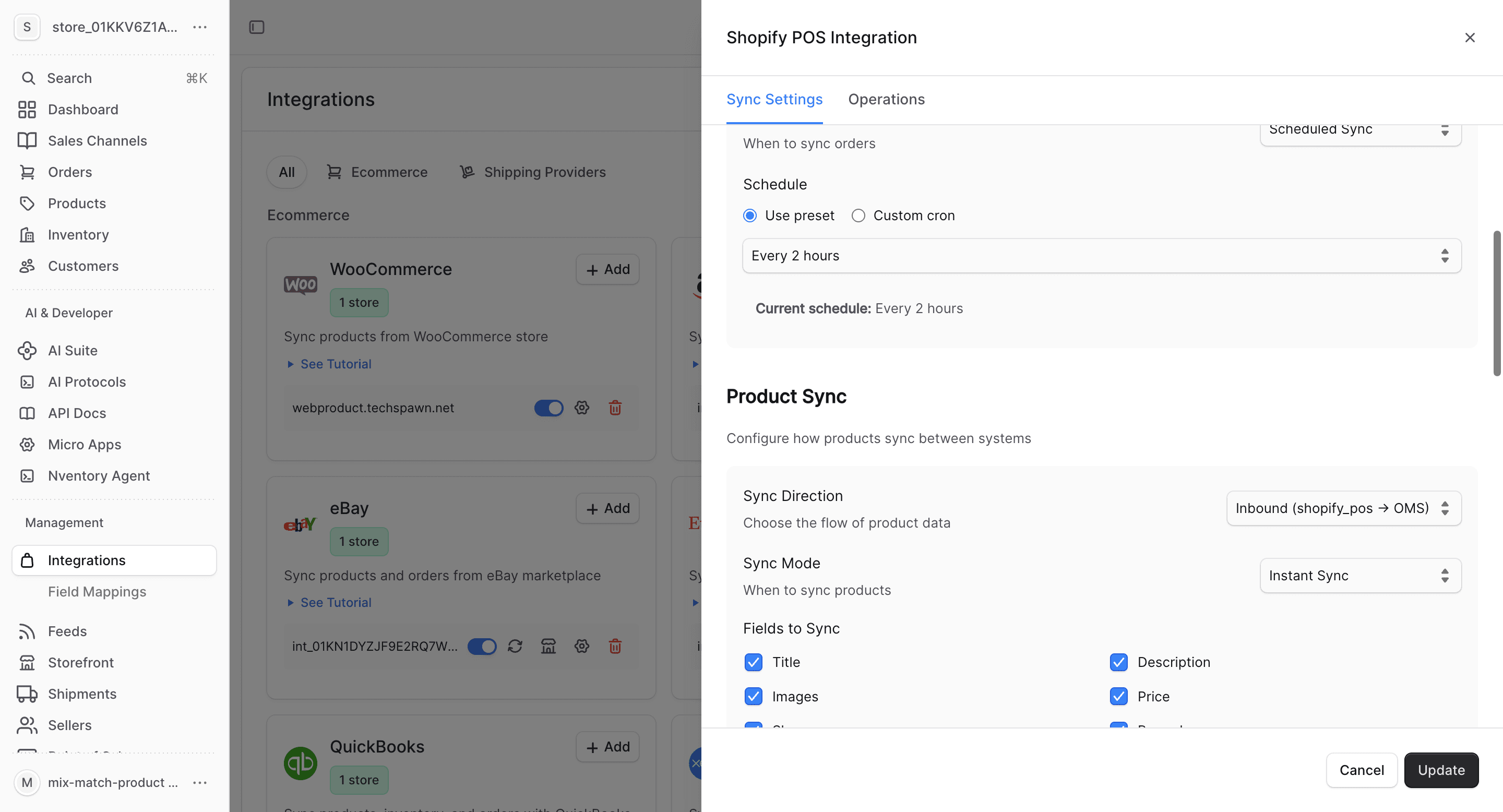
Configure Product Fields
Choose which product fields to sync and set up auto-import/export preferences.
What Gets Synced
| Entity | Import | Export | Real-time |
|---|---|---|---|
| Products | Yes | Yes | Webhook-driven |
| Inventory | Yes | Yes | Webhook-driven |
| Orders | Yes | No | Webhook-driven |
| Customers | Yes | No | Webhook-driven |
POS orders are distinguished from online orders by their source. Nventory tracks both types separately in your order management.
Bulk Operations
Use the Operations tab for one-time bulk imports and manual syncing.
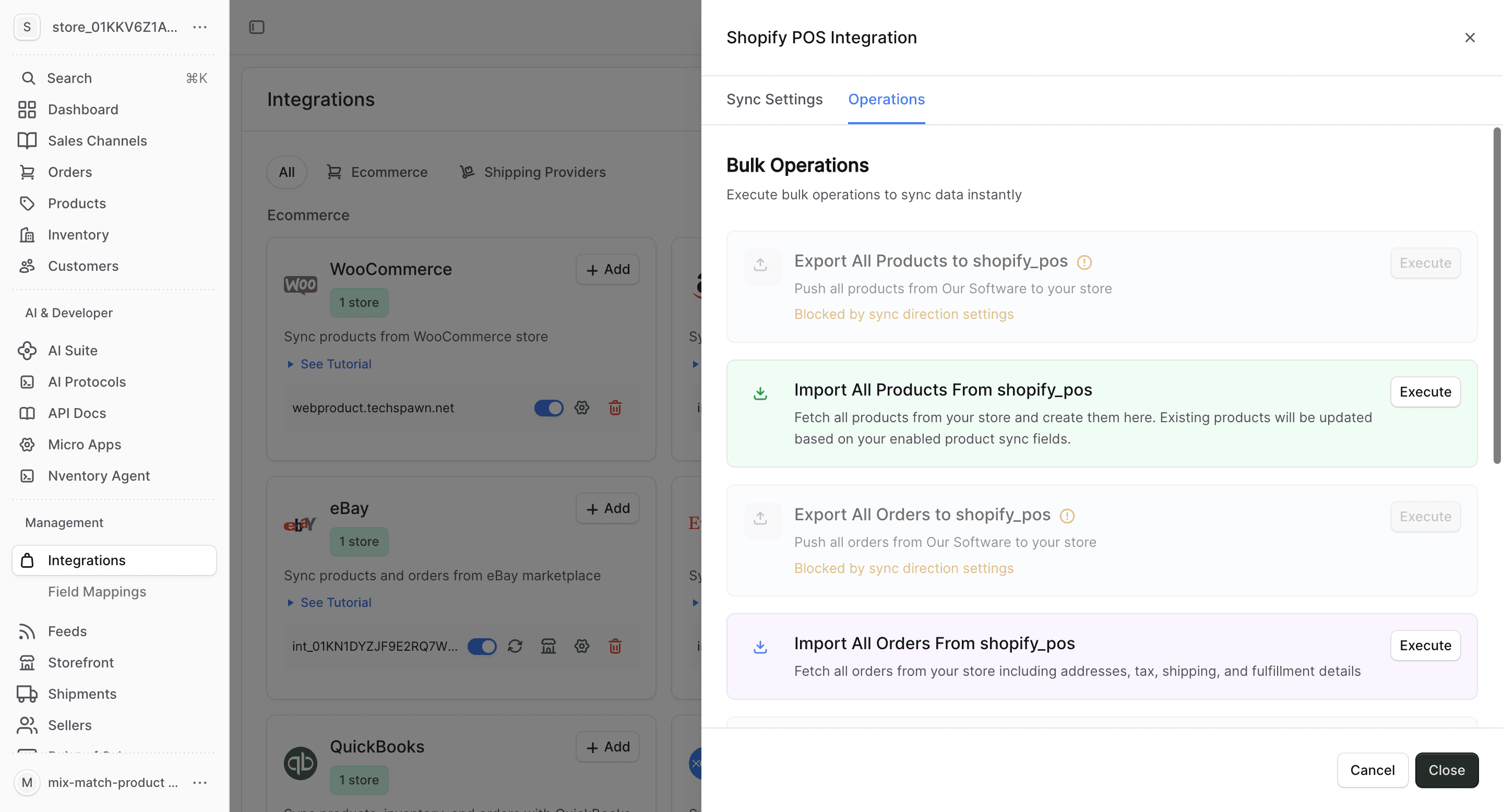
- Import All Orders — fetch all POS orders
- Sync Inventory — update stock quantities across POS locations
- Import All Customers — fetch in-store customer data
Shopify POS-Specific Notes
- POS inventory is tracked at the retail location level — ensure locations are mapped correctly
- In-store orders include POS-specific data like staff member, register, and payment method
- POS exchanges and returns sync as separate order events
- Inventory adjustments made at the POS (e.g., stock counts) sync in real-time