Integrations
Porter Integration
Connect Porter to Nventory for same-day and intra-city delivery in India.
Connecting Porter
Nventory integrates with Porter for same-day and intra-city delivery across major Indian cities.
Prerequisites
- A Porter business account
- Your Porter API key
Setup Steps
Navigate to Integrations
From your dashboard sidebar, click on Integrations and scroll to the Shipping section.
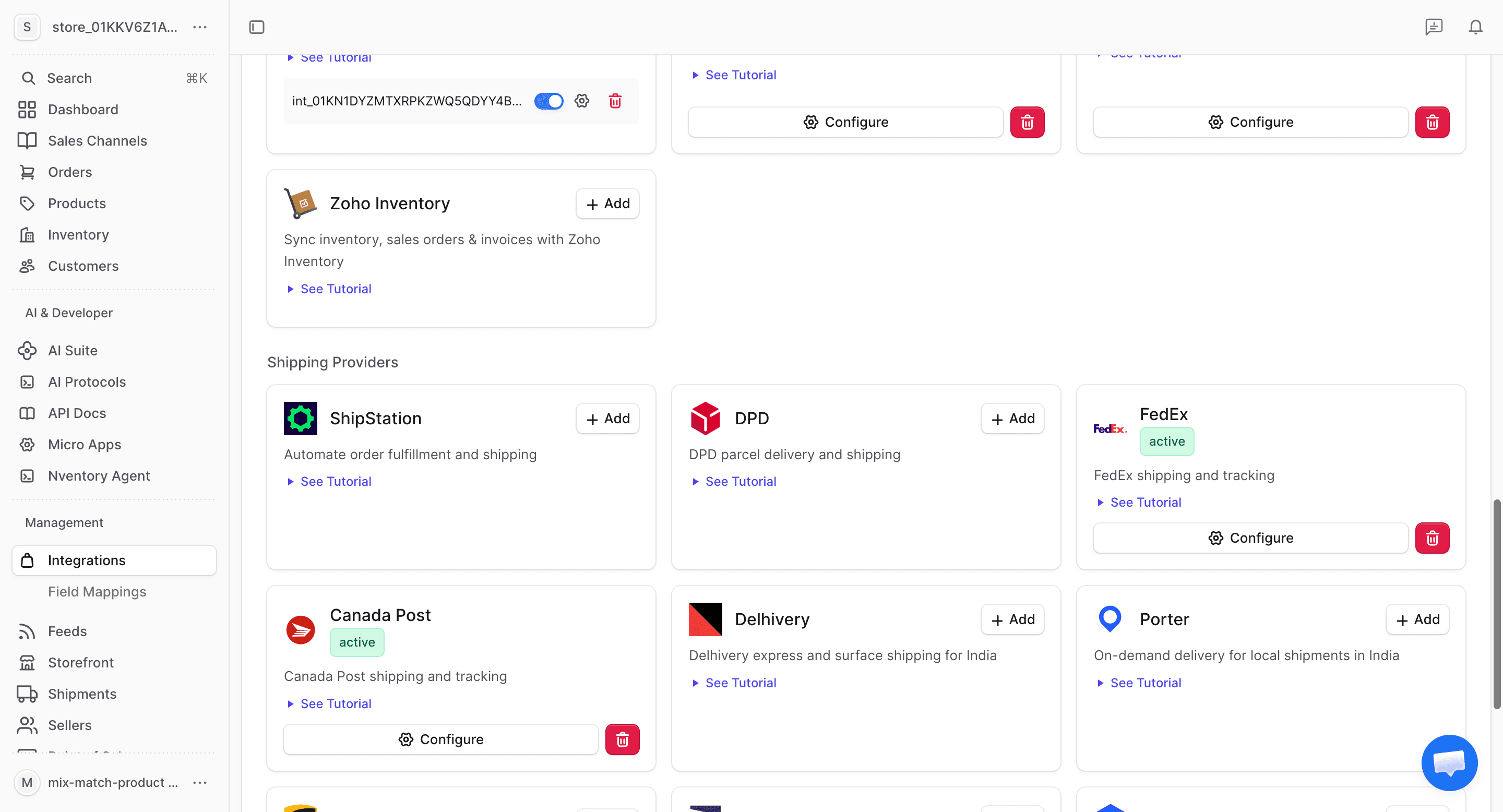
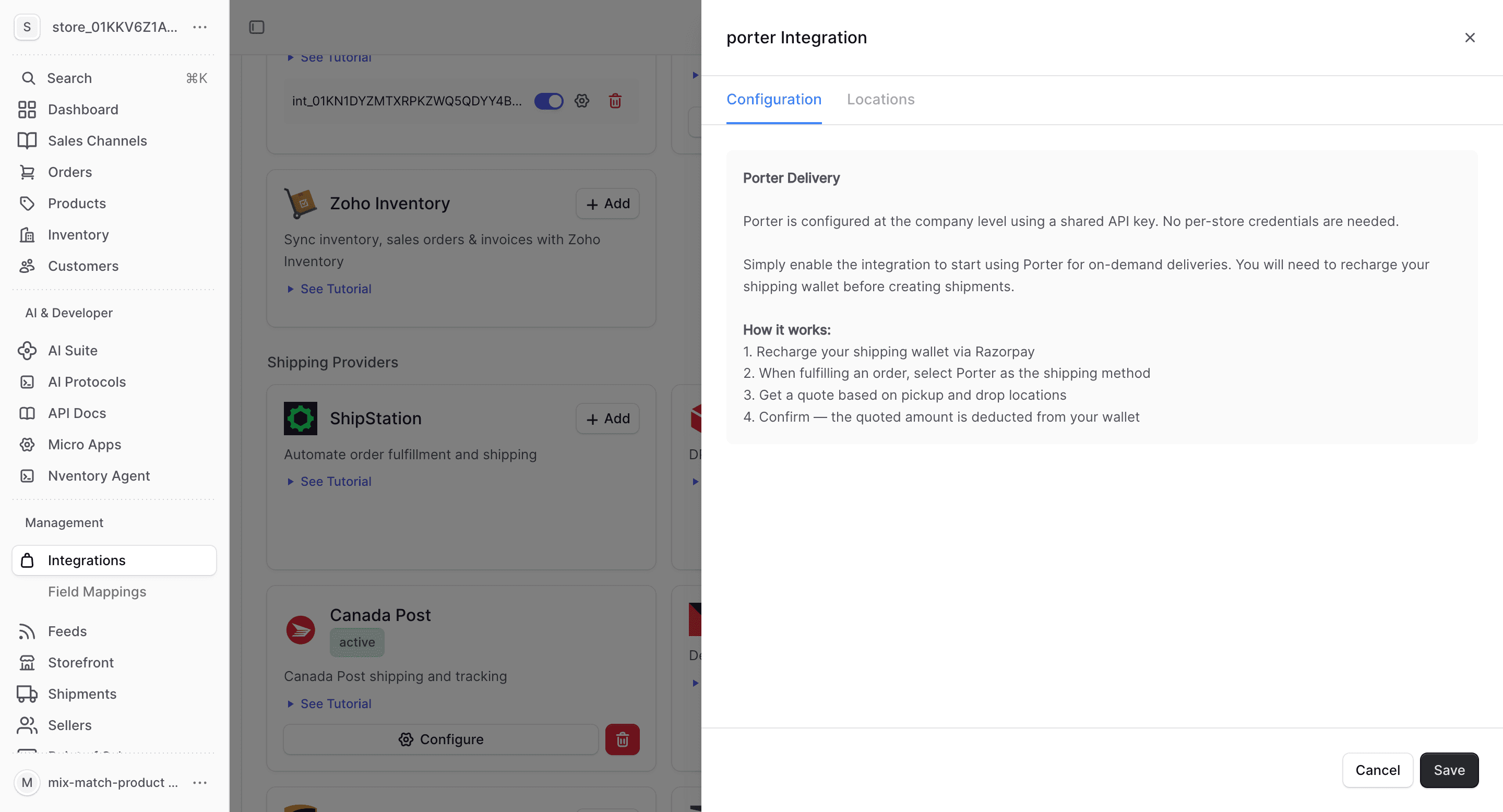
Enter Your Porter Credentials
In the connection dialog, enter your Porter API key. Click Save to connect.
Configure Locations
Assign Porter as a shipping provider for your Nventory stock locations.
What Porter Provides
| Feature | Supported |
|---|---|
| Real-time rates | Yes |
| Same-day delivery | Yes |
| Tracking | Yes |
| On-demand pickup | Yes |
Porter-Specific Notes
- Same-day and intra-city delivery in 15+ Indian cities
- On-demand pickup — no advance booking required
- Multiple vehicle types (bike, 3-wheeler, mini truck, etc.)
- Real-time driver tracking
- COD support
- Best suited for local and hyperlocal deliveries
Porter is ideal for same-day deliveries within a city. For inter-city or national shipping, combine with carriers like Delhivery or Shiprocket.