Integrations
DPD Integration
Connect DPD to Nventory for European parcel shipping.
Connecting DPD
Nventory integrates with DPD for parcel shipping across Europe and the UK.
Prerequisites
- A DPD business account
- API credentials from your DPD account manager
Setup Steps
Navigate to Integrations
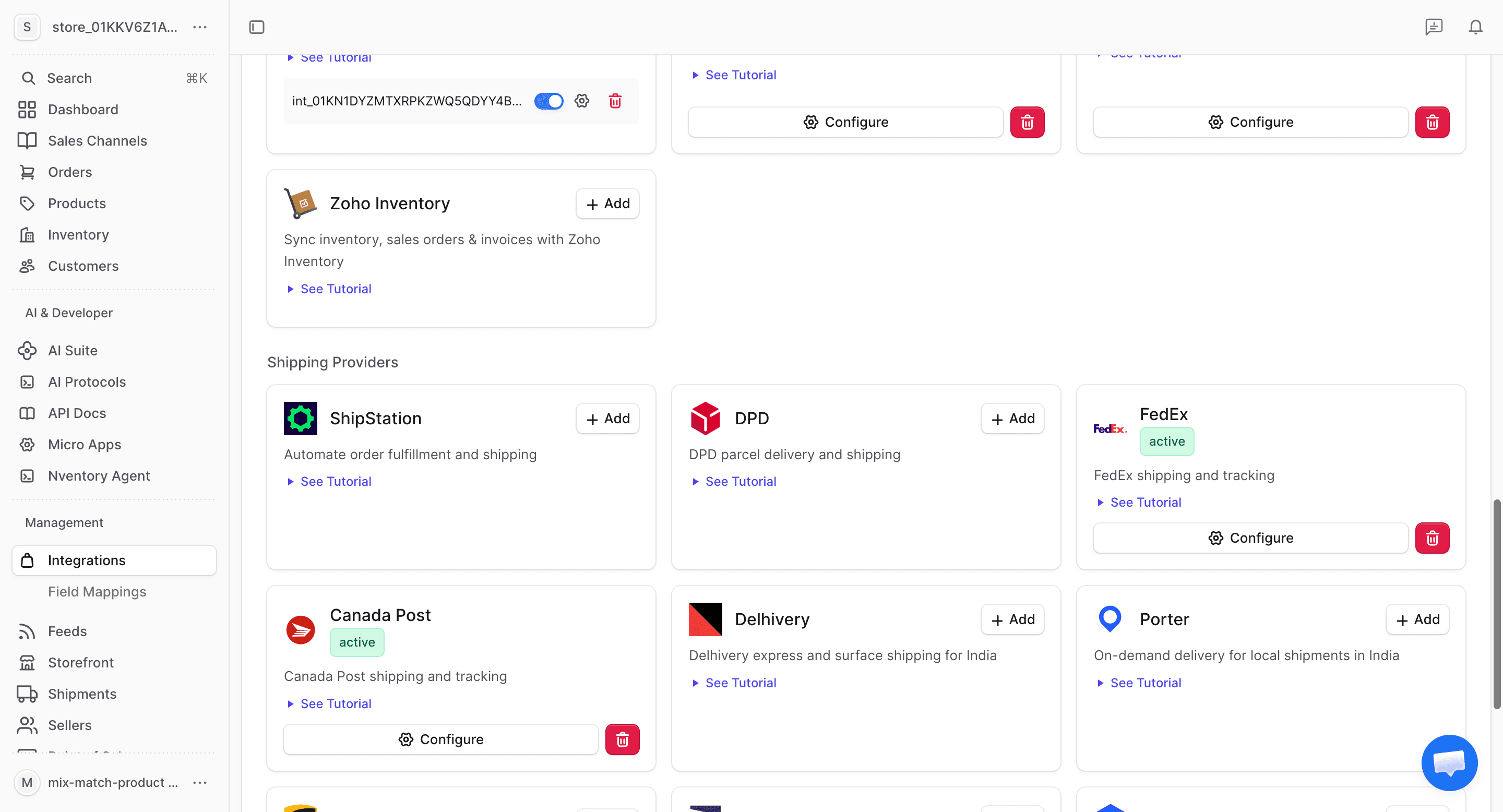
From your dashboard sidebar, click on Integrations and scroll to the Shipping section.
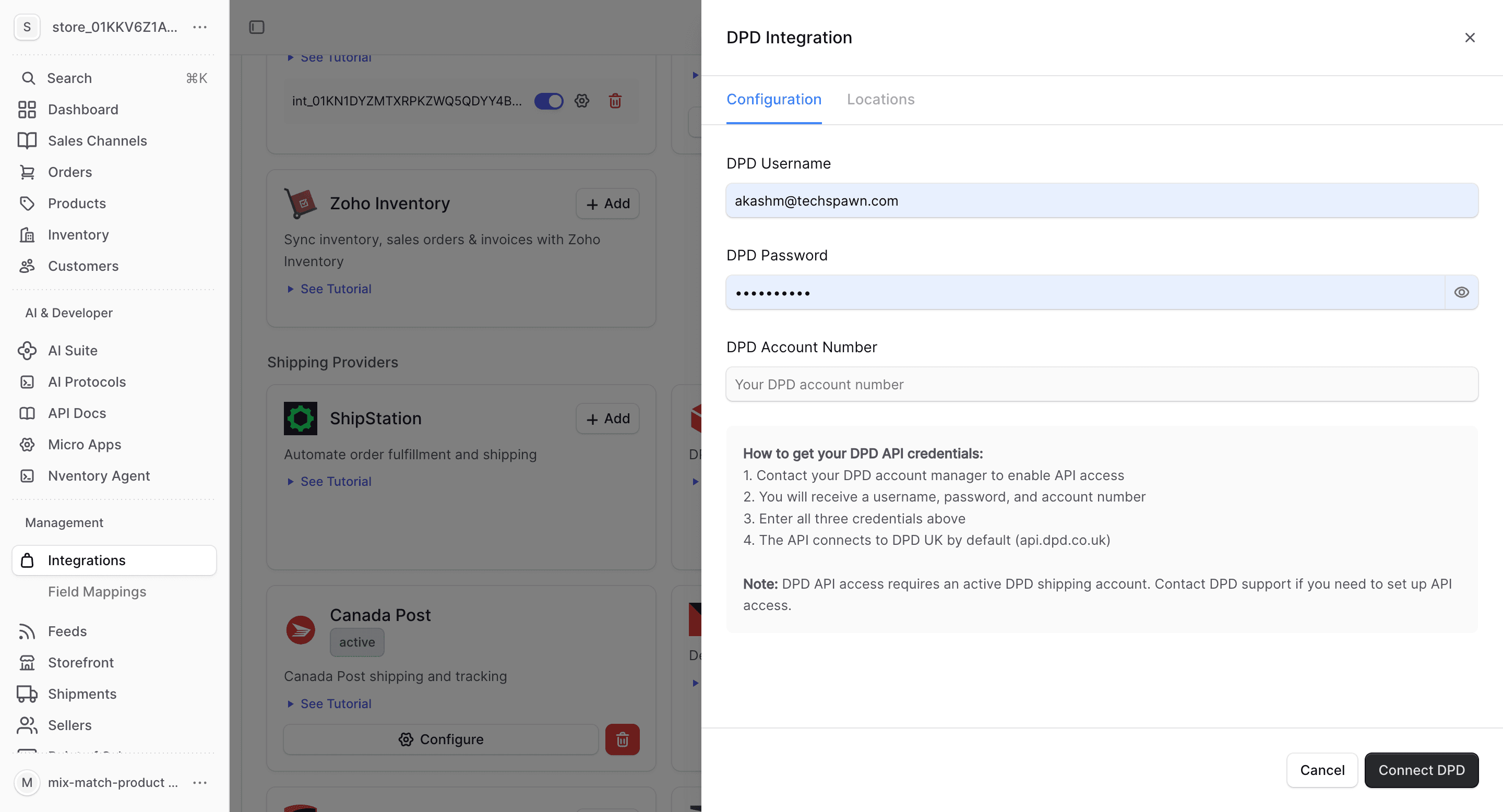
Enter Your DPD Credentials
In the connection dialog, enter:
| Field | Description |
|---|---|
| Username | Your DPD API username |
| Password | Your DPD API password |
| Account Number | Your DPD account number |
Click Save to connect.
Configure Locations
Assign DPD as a shipping provider for your Nventory stock locations.
What DPD Provides
| Feature | Supported |
|---|---|
| Real-time rates | Yes |
| Label generation | Yes |
| Tracking | Yes |
| Multi-location | Yes |
DPD-Specific Notes
- Covers UK and European destinations
- Next-day and express delivery options
- Predict notifications for recipients
- Pickup shop network across Europe